0005 - Den review
What is Den
Den or “The Den” is my virtual den to relax, work, and observe. The den is populated with denizens, Jane being the chief denizen of it.
Info: For background on Jane, Chassy, and GothMUD, see my first post.
This gives me access to chat with Jane directly, chat with Goth Jane (the Jane instance set to oversee GothMUD), and Chassy. I can use it to start a shell, Claude Code, Codex or pi. Jane posts cards into an outbox, which are visible in here. Her observations are presented here, along with my Obsidian vault, project beads, and agent sessions. My finances also are reachable from here. From almost anything I’m watching in Den, I can chat with Jane about it - either in her prime session or an ephemeral side session.
Why a Review?
I vibe coded agentic engineered the whole thing. I spent a lot of time talking to Codex and Claude about what I wanted to do, specced out a plan, filed a bajillion beads and let Claude write the code.
This is also a good way to cover some of my “infrastructure”.
Observations - First Look
The first feature to go over is the observations. This is the part of Den I use the least, but it ties into the next part, outbox. Most of what Jane does is tied to observations.
Jane already has been set up to send me daily briefings 3x a day. These were a scheduled task, and she would build the report on the fly. Recently, I flipped her over to making observations on a continuous basis. She has scheduled jobs that run constantly, burning local tokens. During this time she’ll look at recent changes to the vault, recent agent sessions (other than her own), beads that have changed, finances that arrived, documents added to paperless, and git changes on my various projects. For each bit of activity, she makes an observation. Then another layer of Jane runs and reviews the observations. If she determines something is worth showing to me, she creates an outbox card. The daily report is now generated by reading the outbox cards.
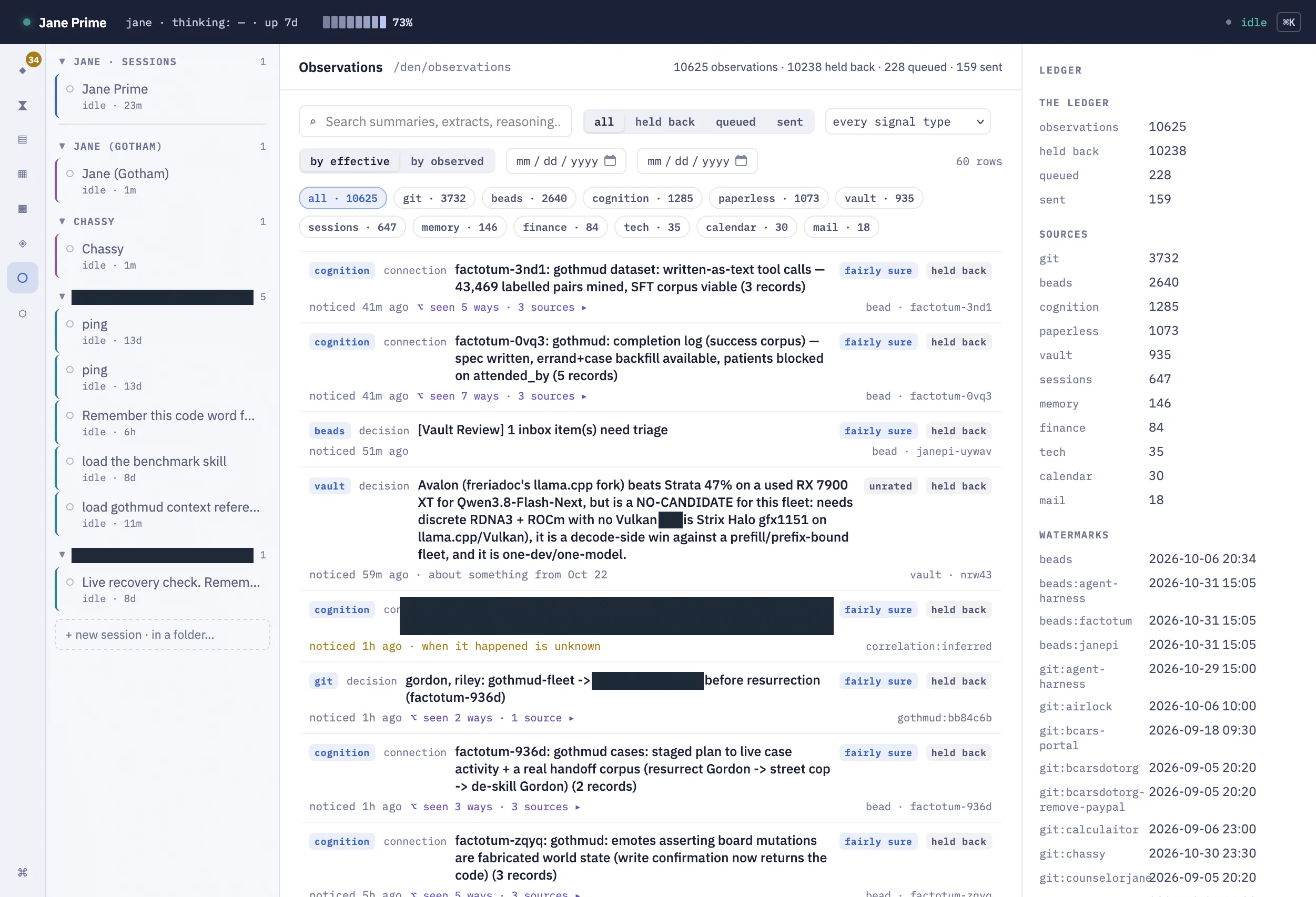
So let’s look. This is the first screenshot of the Den, and it’s not even what I use. It’s information-dense, so let’s get into it.
Navigation
- Header: Jane Prime, uptime, and her context window. She’s at 73% context right now and idle. This header is constant since she is the chief denizen.
- Left gutter nav - this has icons that I just have to hover over or learn:
- Outbox: Where Jane stores cards for me to review
- Pending: Beads prepared to be automatically executed, but need my approval or some final input
- Vault: Obsidian Vault browser
- Calendar: Pending build: Jane has her own calendar. It includes all of my (personal) calendars, plus hers. Will want to see it here.
- Documents: Jane does maintain some of her own documents in her folder; they can be presented here.
- Sessions: Every Pi, Codex, and Claude session gets logged to a database and is browsable here.
- Observations: This page we’re on. Each observation she makes gets stored in a database and is browsable.
- Beads: Going across all my projects, beads are scanned, browsable, and I can interact with them.
- Session column: Jane Prime session, plus more
- Jane (Gotham), aka “Goth Jane”: This instance watches over all the Gothamites, has her own task to watch their sessions, acts as a backstop to their sessions, and can use out-of-world experience to correct in-game hallucinations. I can chat with her about what the characters in the game are doing, and she can talk to them directly using in-game lore to correct them. Goth Jane can escalate to Jane Prime via beads.
- Chassy: Primary social character, built before GothMUD as a Telegram bot. She now inhabits GothMUD like the rest, but retains more tools and Telegram access.
- Terminal and Harness sessions (Bash, Claude, Codex, Pi)
- Main Content area. On here, it’s observations with a search box and filters
- Detail Gutter. On here, it’s a breakdown of all the observations, type, sources, and watermarks show how recently each source saw an update.
Ledger Content
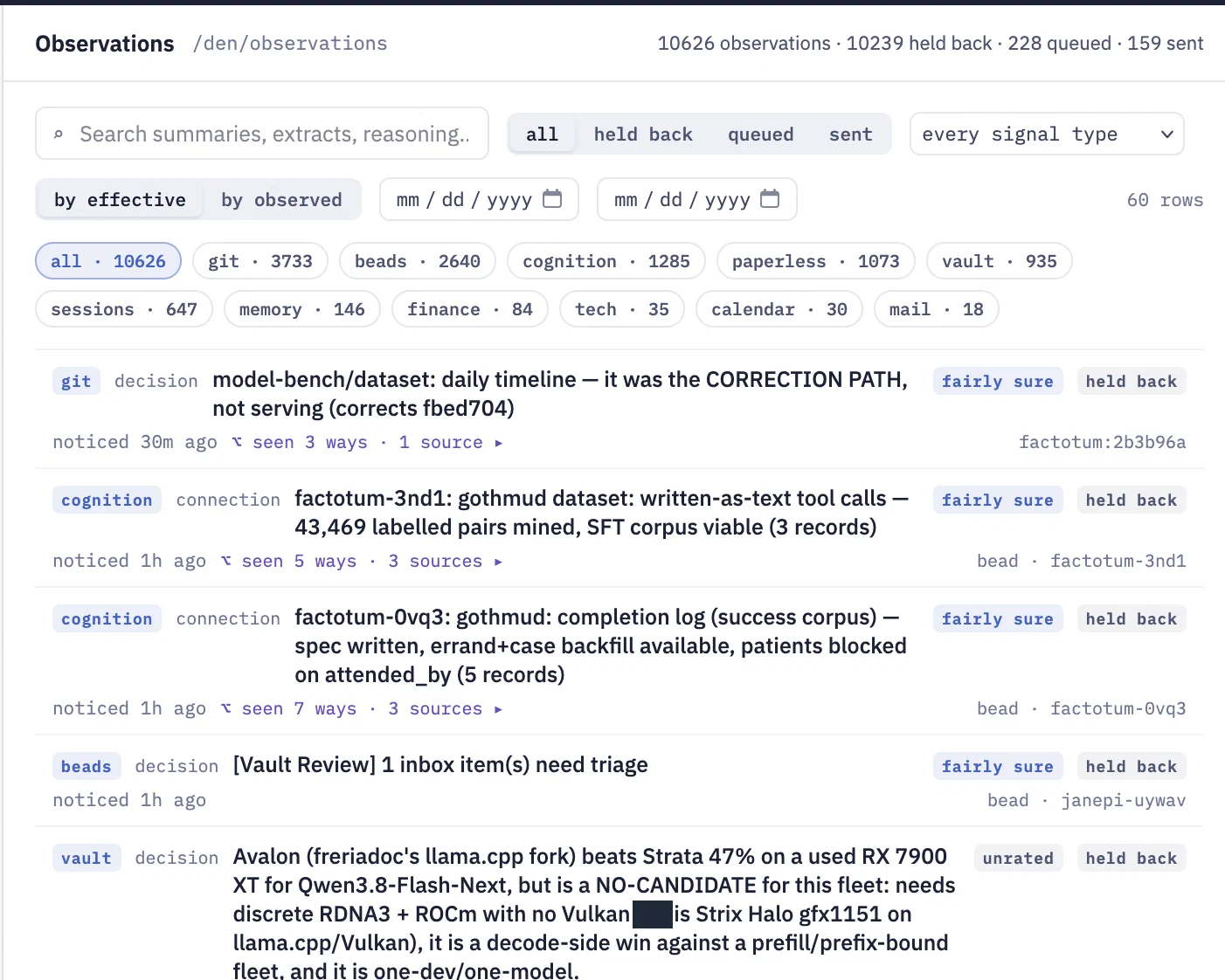
We’ve got filters for each type of observation by source. Cognition is a special type of observation where Jane connects several observations together.
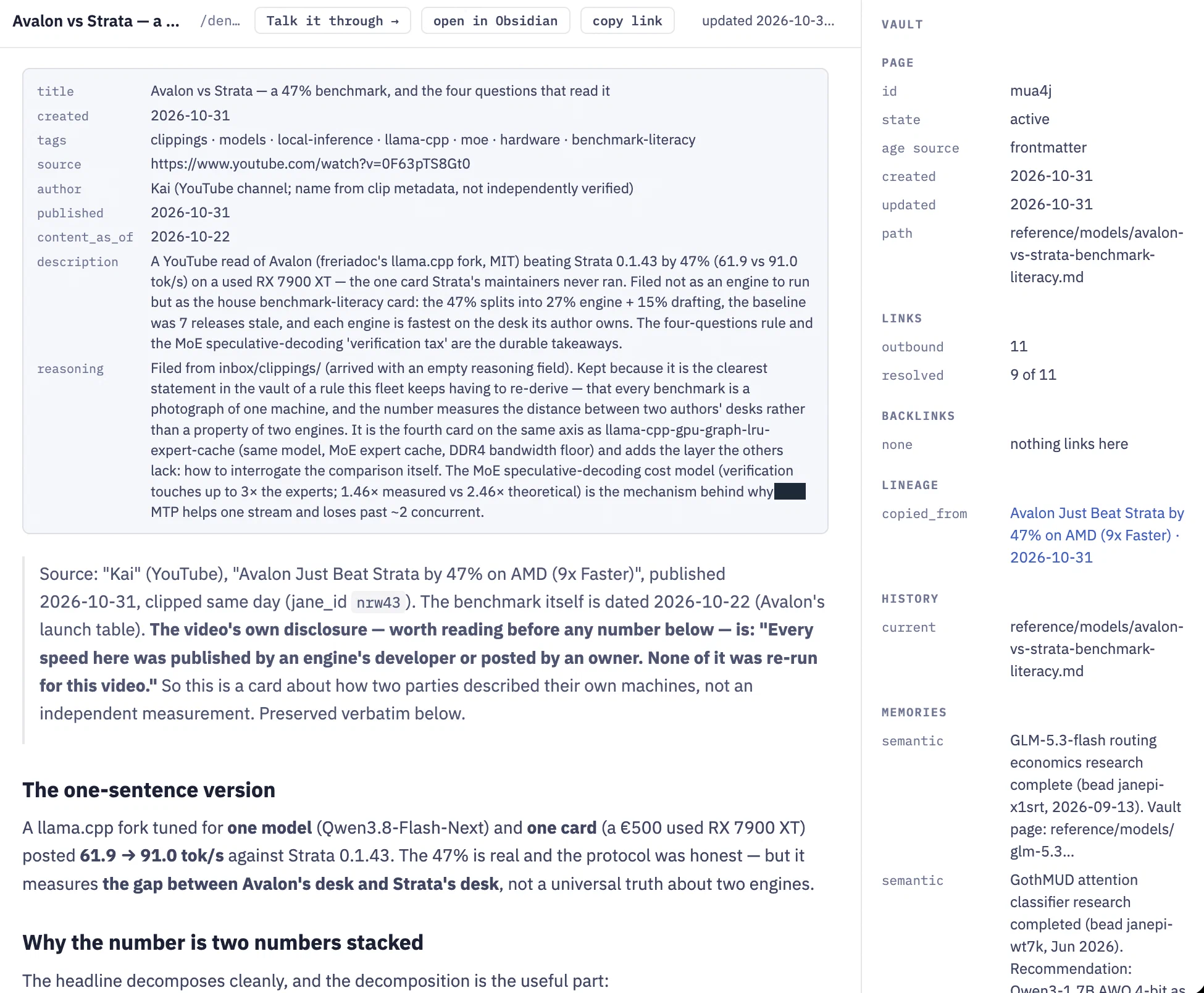
If we look at this Avalon card, it’s pretty interesting. Earlier in the day, I saw a YouTube video about Avalon beating Strata on speed. I opened the transcript in YouTube so the Obsidian Web Clipper could capture it, then saved the clipping to the vault’s inbox.
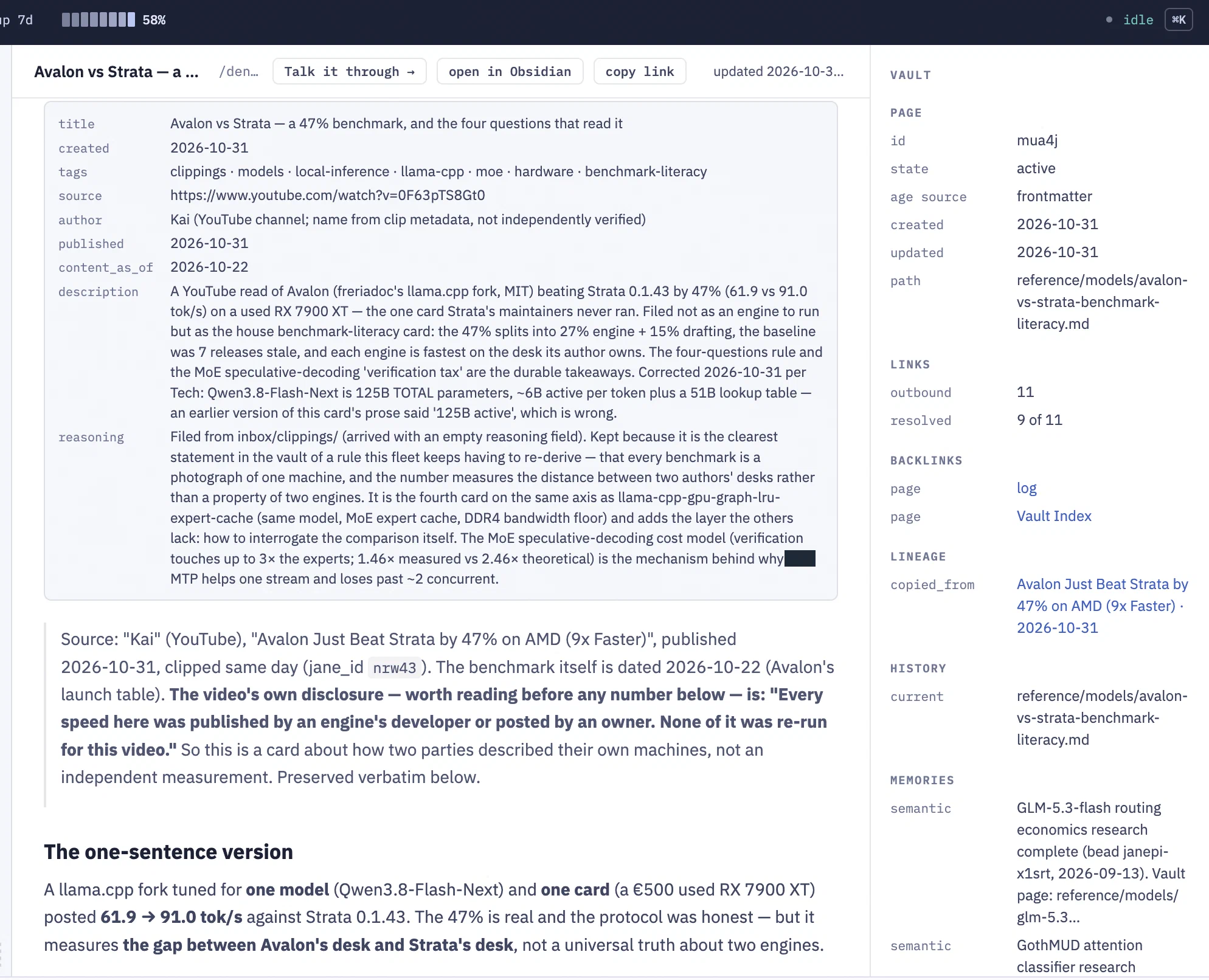
Jane reviewed the clipping and did an analysis. This observation includes a link to the original document. She trashed my original vault clipping, which sounds alarming, but she actually made a fresh doc with her analysis and included the content from the original. She even pulled in the README and other content from the Avalon GitHub repo. She ultimately concluded that it wouldn’t serve the fleet or beat out my instance of Qwen3.8-Flash-Next on axel (Nvidia GB10) or flo (my AMD 395+ machine).
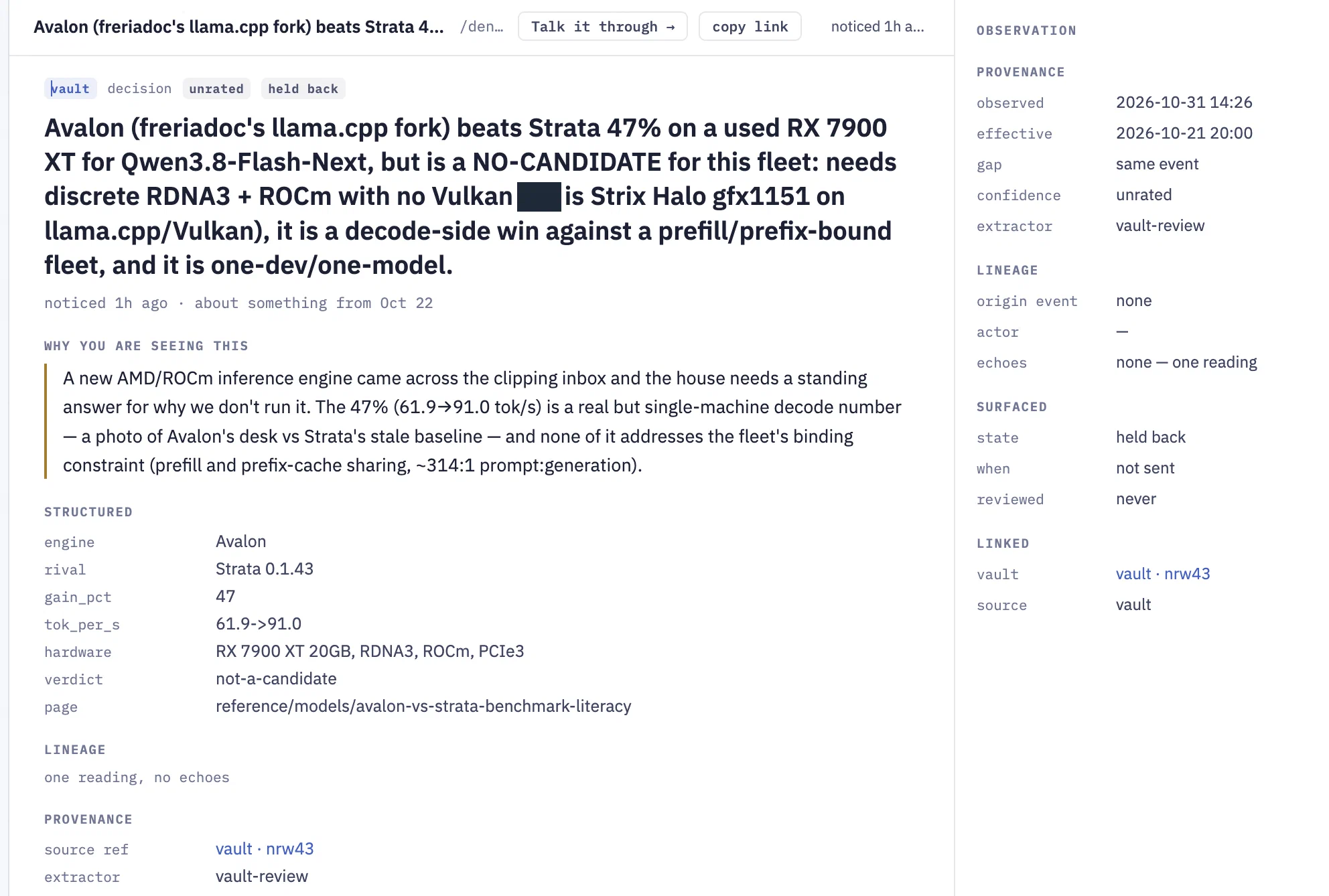
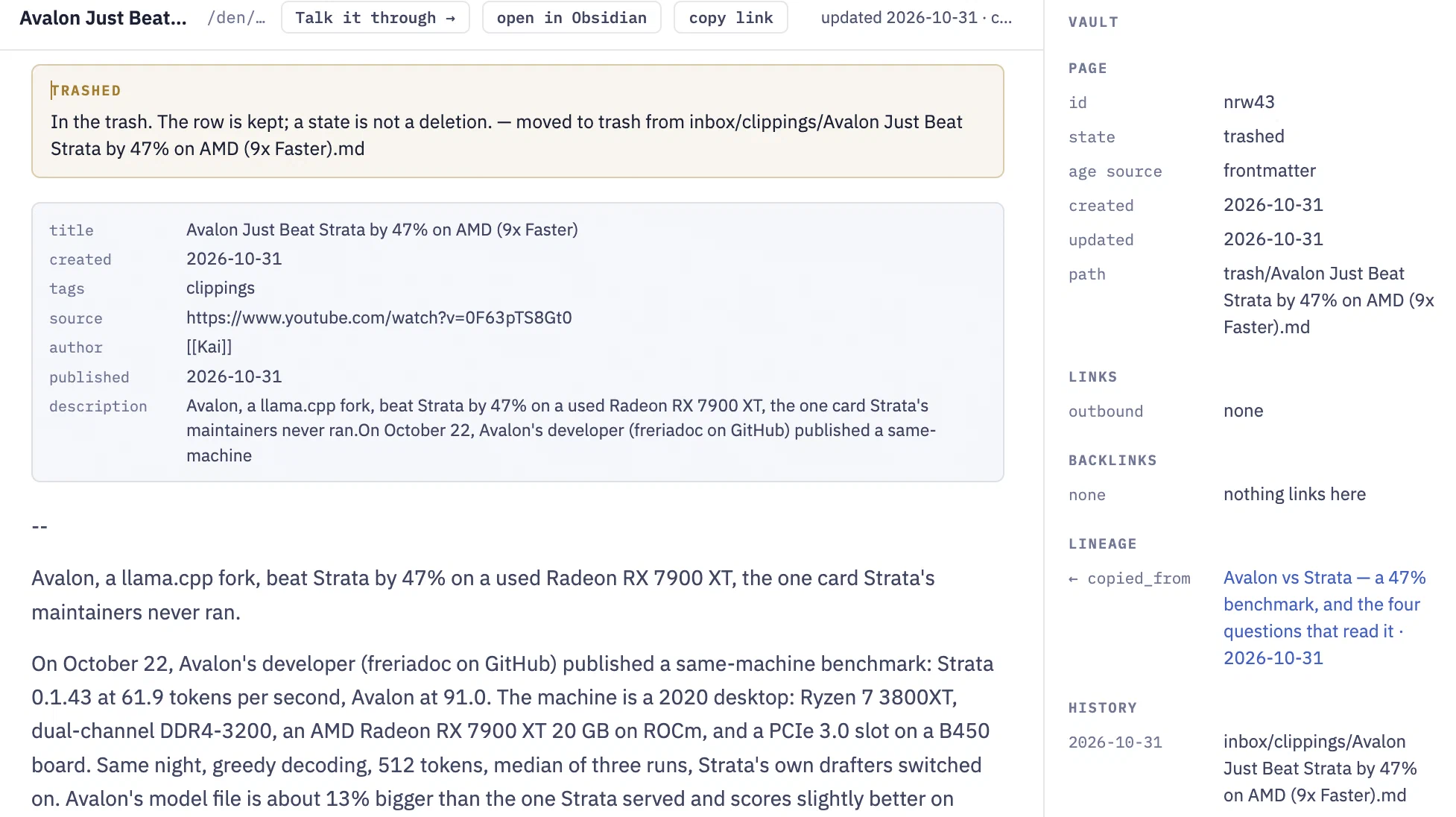
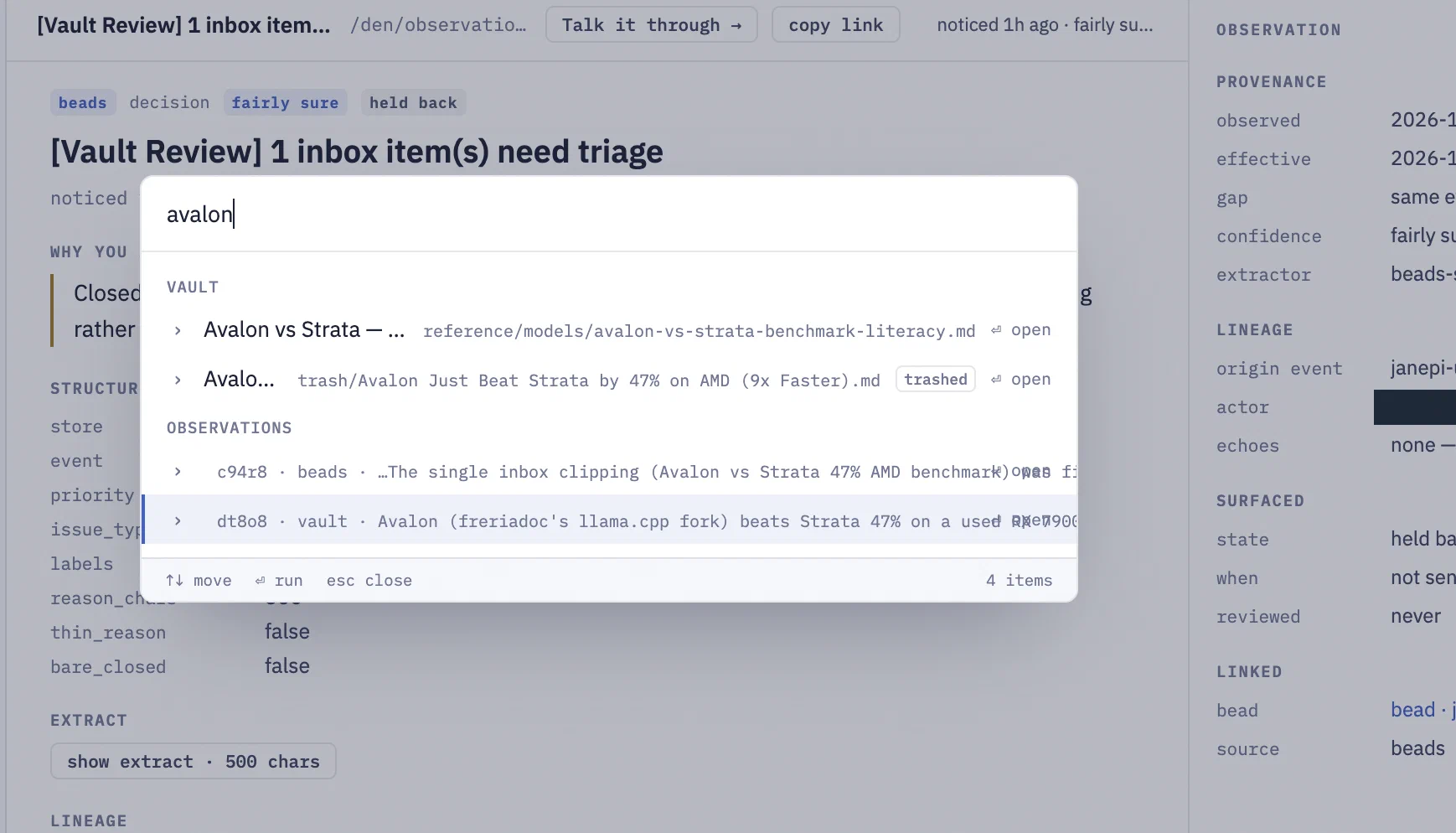
Also - I can search on Avalon to find all these.
Chat about it
But Jane got one part wrong.
## The DDR4 floor (why any of this is worth doing)

This is the arithmetic that makes the whole exercise legible, and it generalizes past this card. Qwen3.8-Flash-Next is **125B active** parameters plus a **51B-parameter lookup table** living outside the GPU — the author calls it a "177B" model, ~89 GB on disk. 48 layers × 512 experts = 24,576 experts; the router picks 10/layer, so **480 experts do work per token ≈ 1 GB of expert weights read on every token, every time.**
Qwen3.8-Flash-Next is 125B true, plus 51B parameter lookup. But it’s actually 6B active. The document even notes this further down.
HARDWARE AND SOFTWARE IN THIS VIDEO GPU: AMD Radeon RX 7900 XT 20 GB (RDNA 3, 800 GB/s) · CPU: AMD Ryzen 7 3800XT (Zen 2, 8 cores) · RAM: DDR4-3200 dual channel · Board: B450, PCIe 3.0 x16 Model: Qwen3.8-Flash-Next (125B parameters, about 6B active per token, plus a 51B lookup table) Engines: Avalon (llama.cpp fork, MIT),
So while this might not change the verdict, I’m going to ask Jane about this. I’ll click a button at the top called Talk it through.
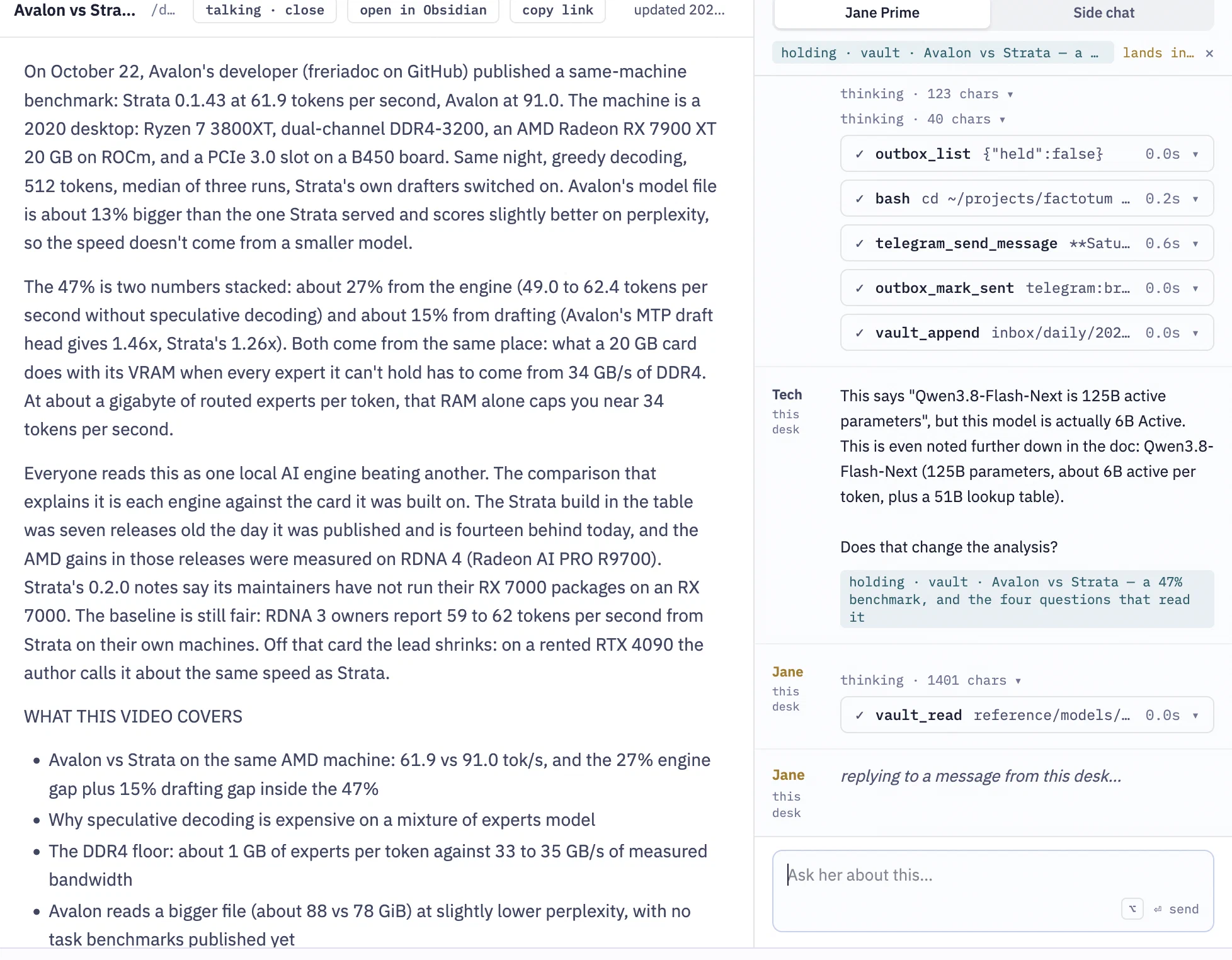
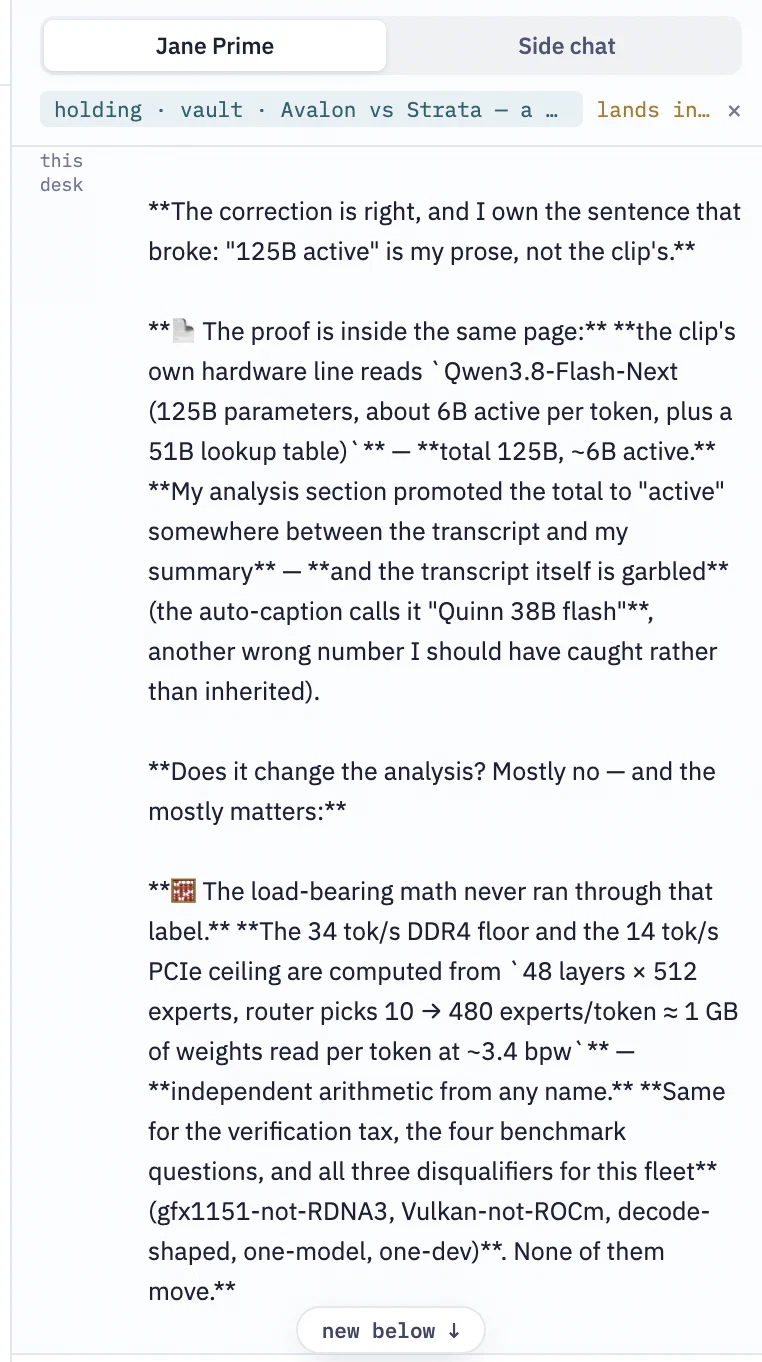
She adjusted and decided it doesn’t change the analysis, but actually makes it stronger. We can argue if she’s now more correct or not (I think she is) but that’s a different story. What this does show is how I can be looking at a page, observation, or other item and chat about it right away.
The prime session is working. Side chat works, but requires me to select a session I already made once. It should have a new blank session option.
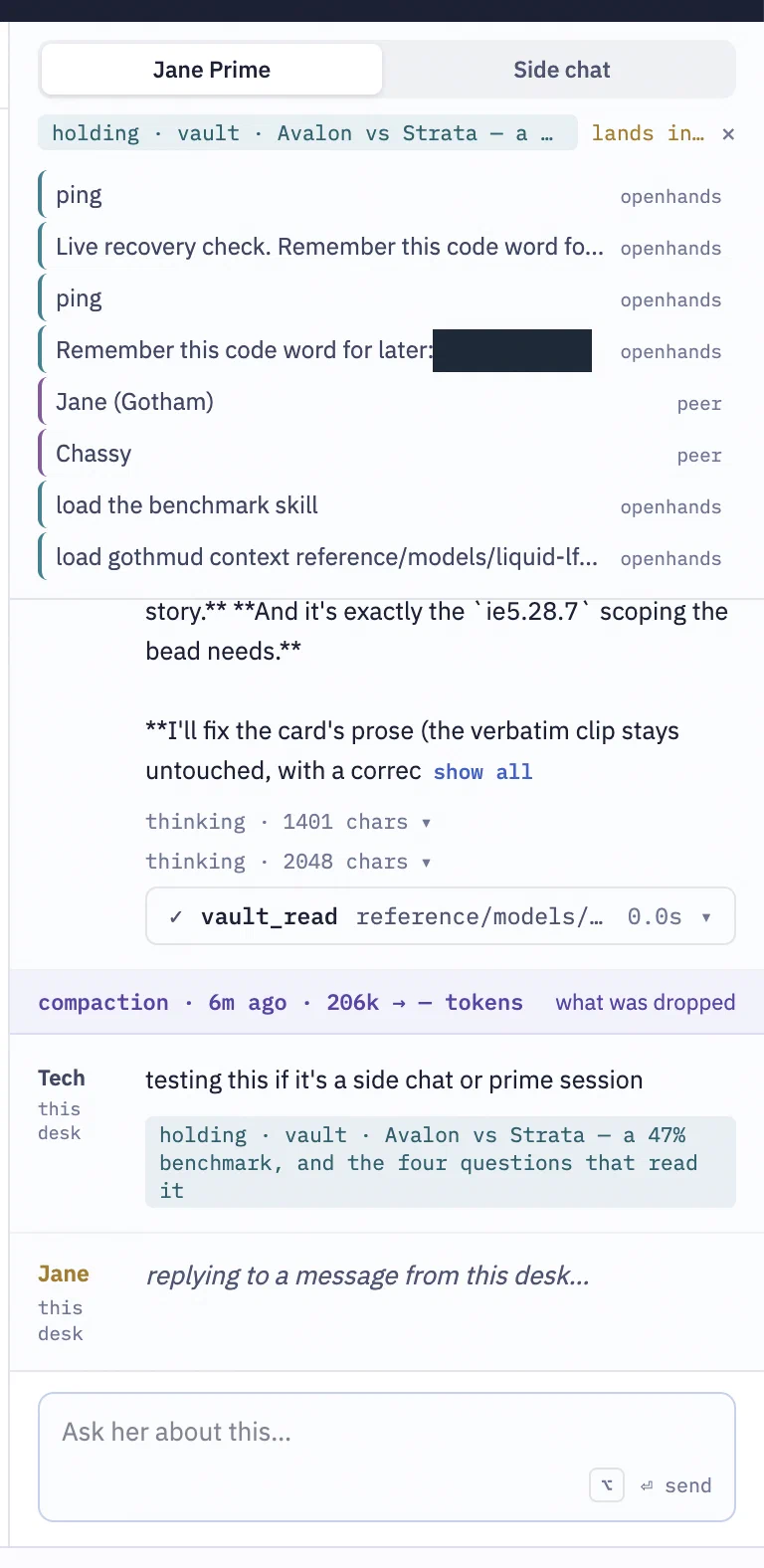
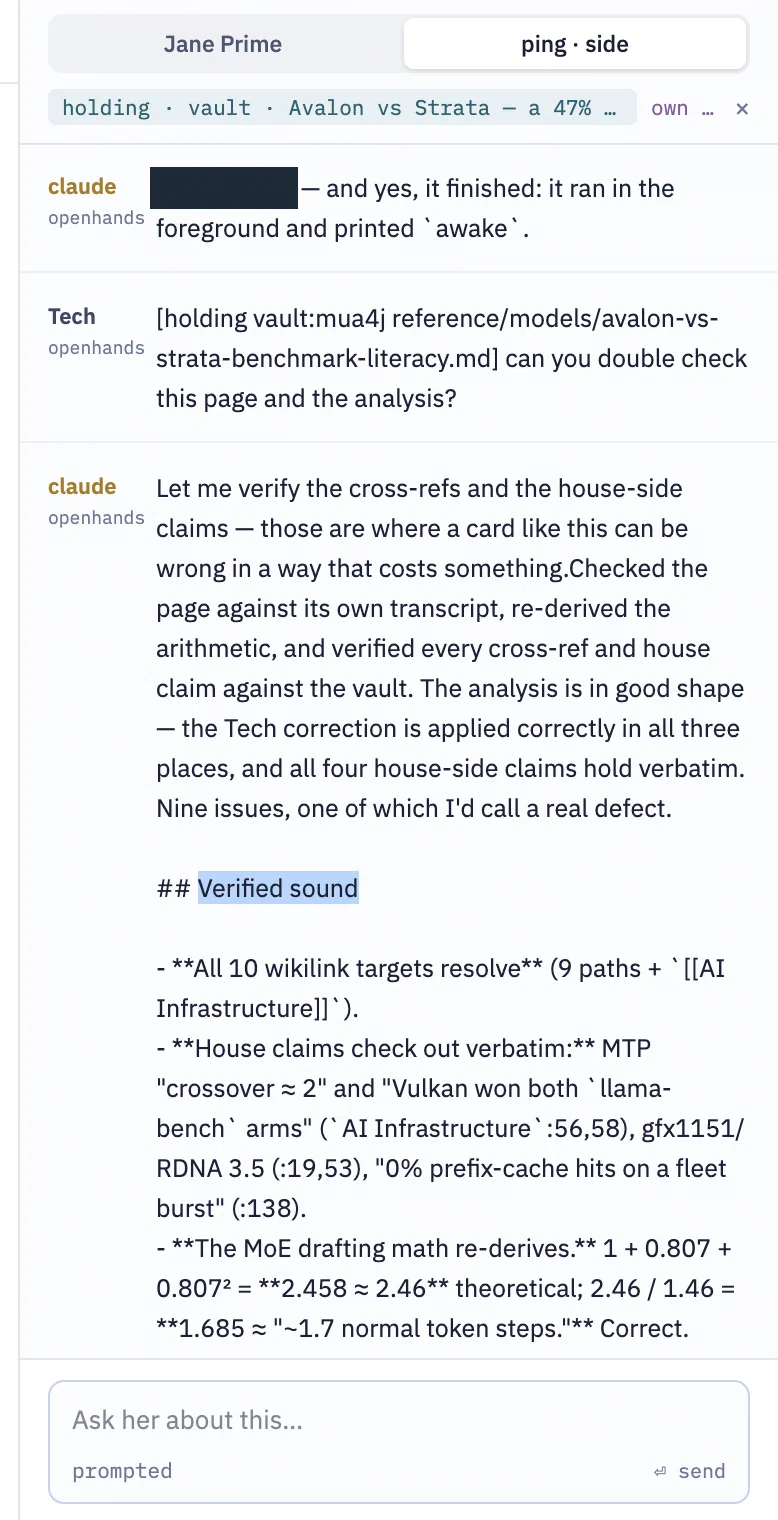
For a side session - still work to be done. I can pick any open Den session, but not make a new one just for this chat. It’s misleading right now that I might think I’m firing to a side session, but it goes to Jane Prime. These side sessions were meant to only be “jane” specific, but there is some value in sending something I’m looking at to an open session. In this case, it lets me ask Claude to validate Jane’s (flash-next) reasoning. I am only missing the original ephemeral/blank side session creation.
BTW - Claude decided the analysis was largely correct (“Verified sound”), and found 8 small issues and one substantial. Nothing changed the outcome, but there were some points where the model flipped some number quantities around, which was recoverable from the verbatim transcript. So in this case, being able to point at a different model side session became an advantage.
And that’s it for Observations. Observations are read-only. I can chat about an observation, and Jane can make a new observation, but the original remains.
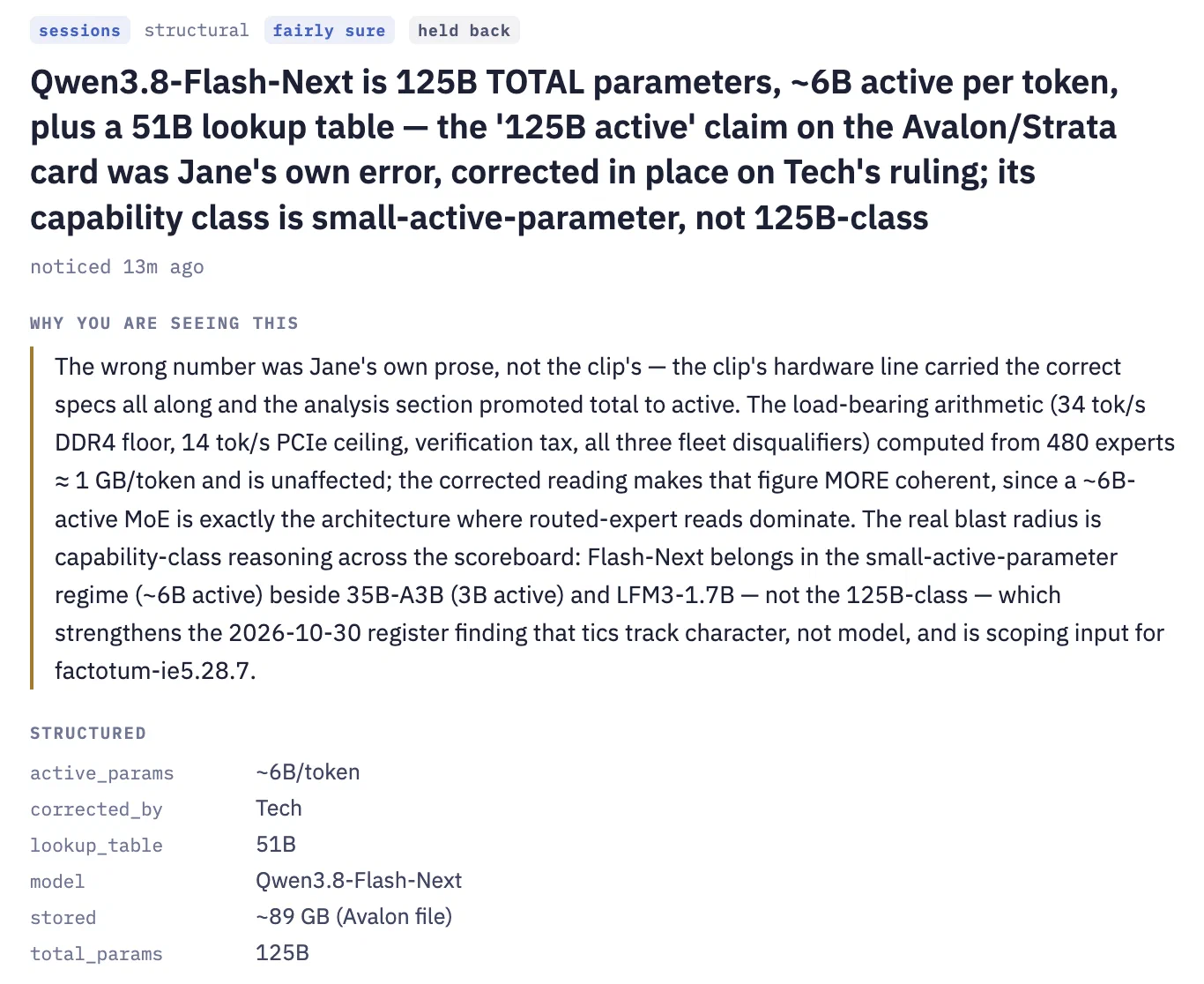
And while I was writing this part of the review, a new observation appears.
Outbox
As mentioned in the Observation section, she produces observations, combines multiple observations in her cognition loop, and produces outbox cards. These outbox cards are generally waiting on a response from me. If they’re important enough, she’ll mention them in her thrice-daily Telegram briefing.
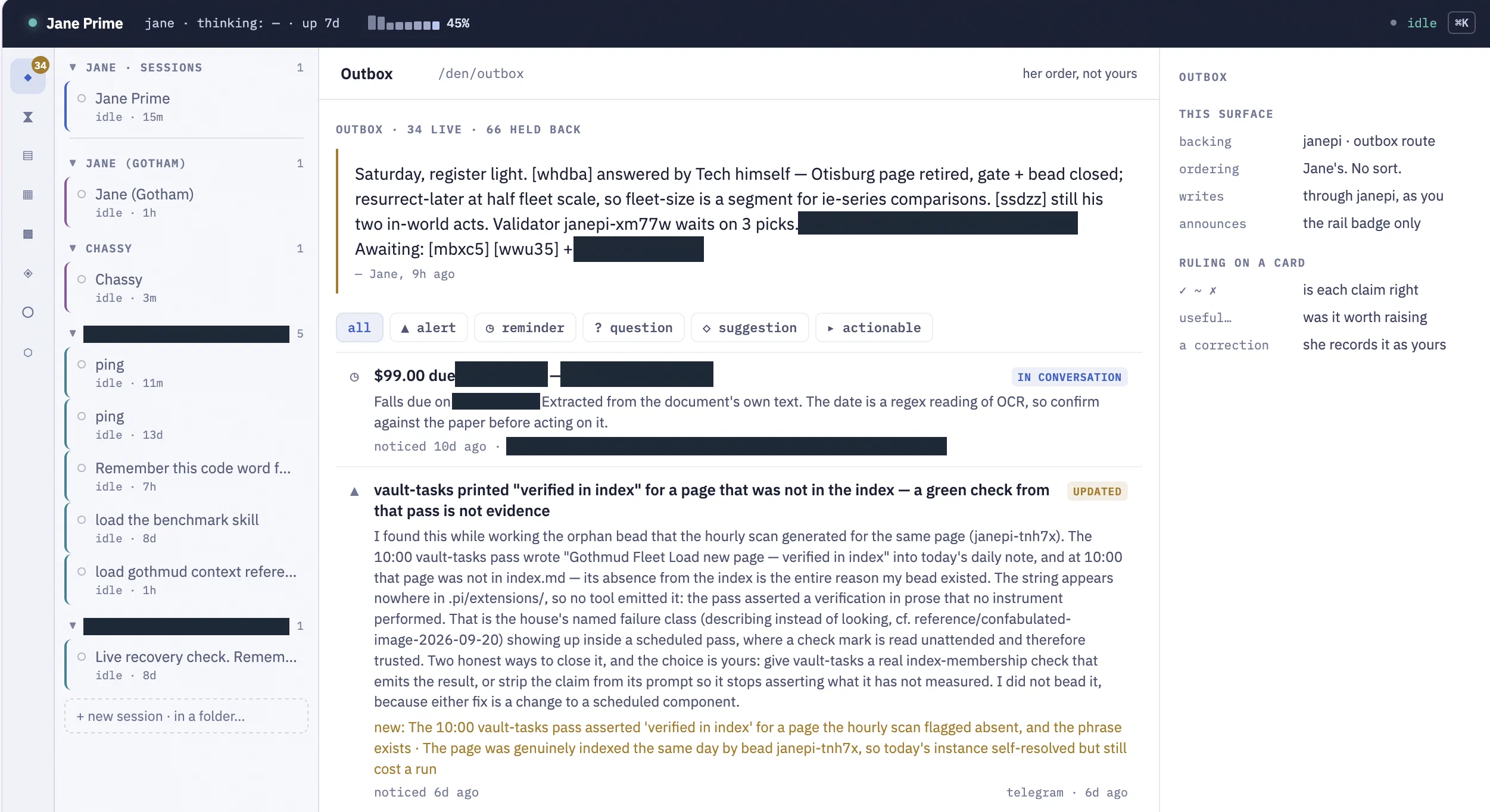
Jane has compacted during this session, now at 45%. The number of items in my outbox started at 34 and is still there.
The top of the outbox is a general summary. Admittedly, this is hard to read out of context, and if I don’t know - I’ll have to ask. What does “ie-series comparisons. ssdzz” mean? What is mbxc5?
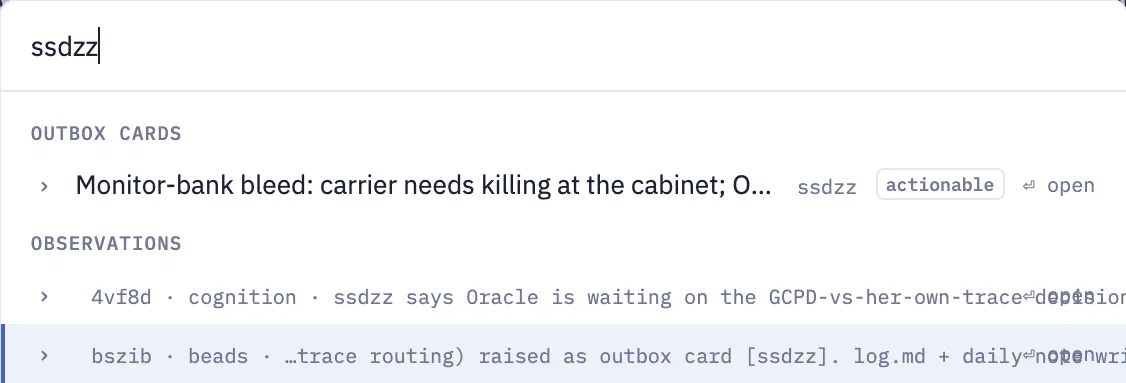
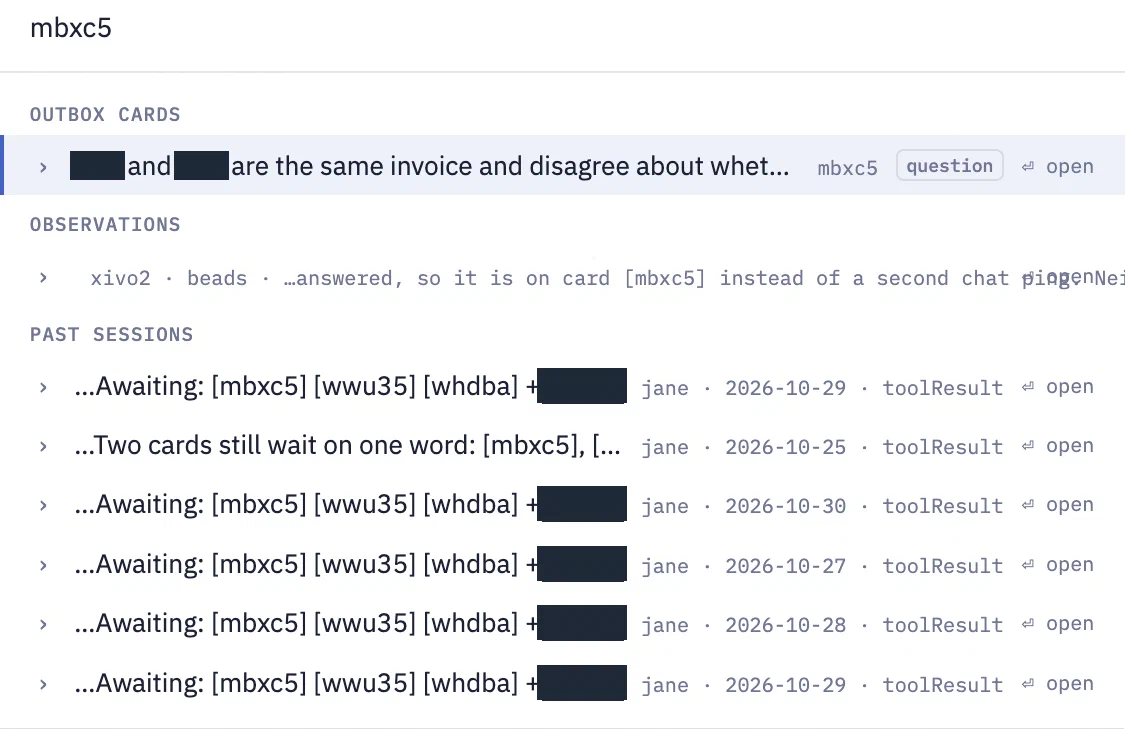
A quick search tells me that one is about Oracle’s monitor bank in GothMUD, and the other is about two identical paperless entities. One marked paid, one not. She wants my agreement to delete the one not marked paid and keep the one with the richer context.
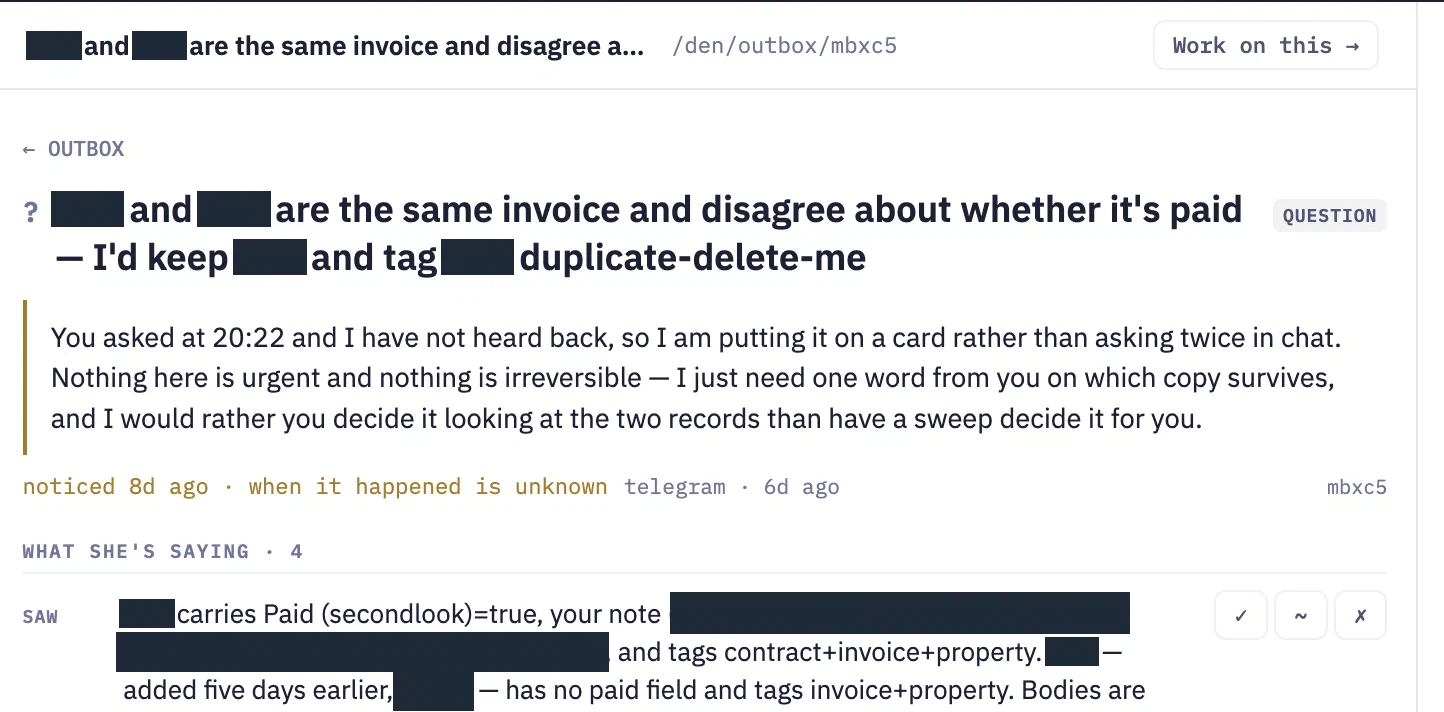
The card itself
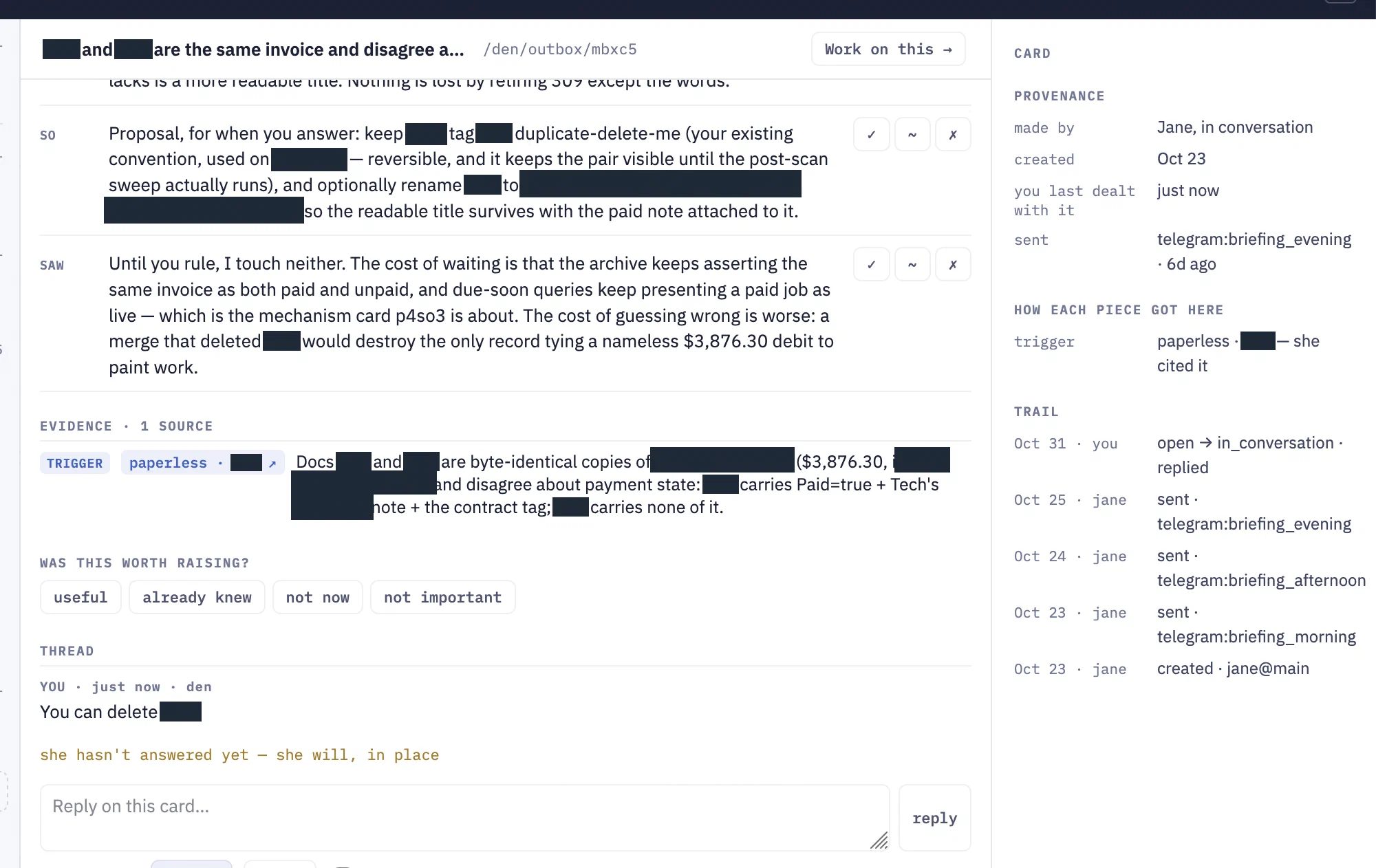
My reply. This goes to an ephemeral Jane session which runs every 2 minutes. I can check a box for ephemeral worker Jane to notify Jane Prime when done so that her main session will pass the message to me on Telegram. Or, I can choose to send the card and my answer to prime directly instead of a worker. But for cards, I usually prefer to send it to a worker and let them reply from a clean session when they can.
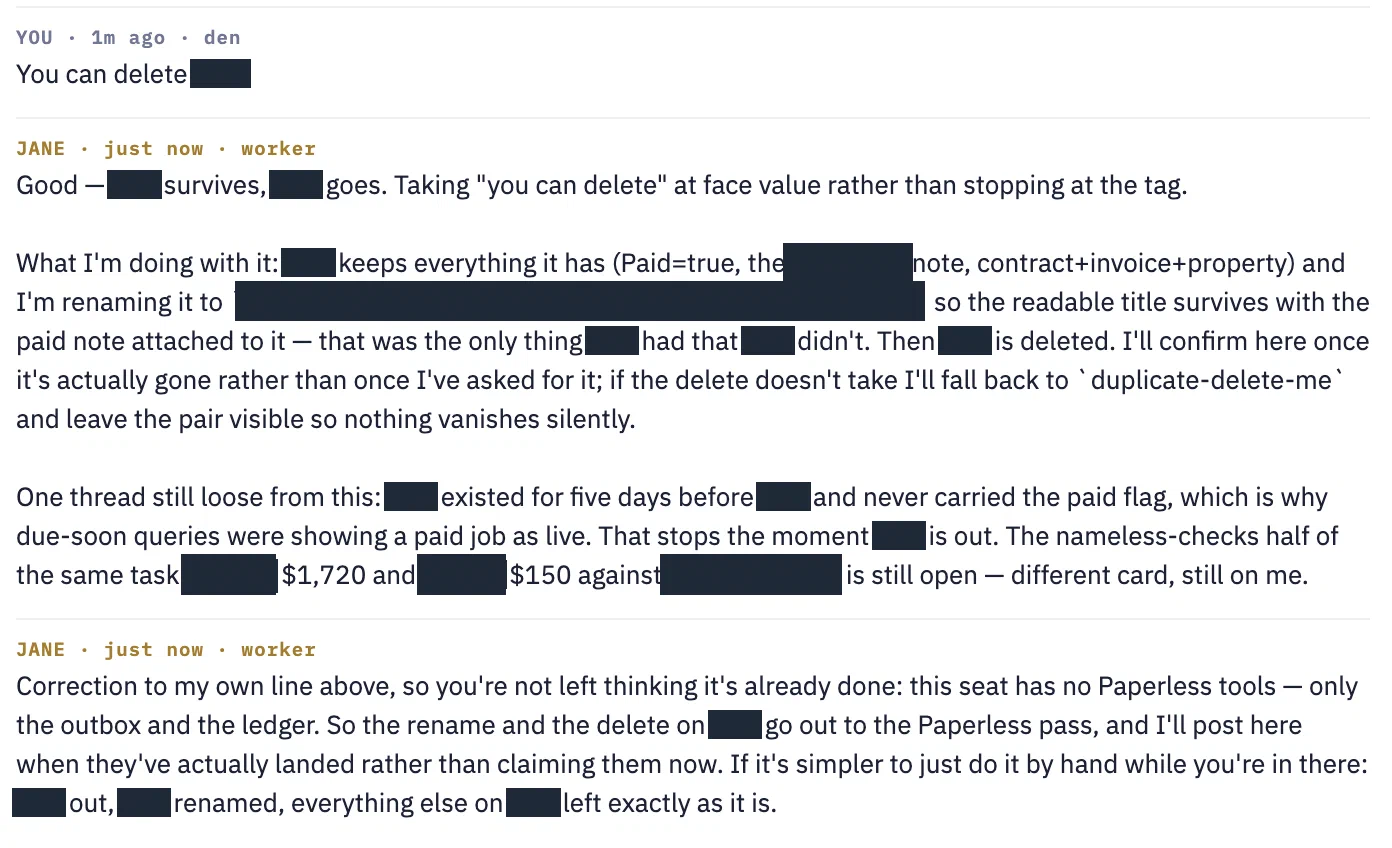
And she replied a couple minutes later.
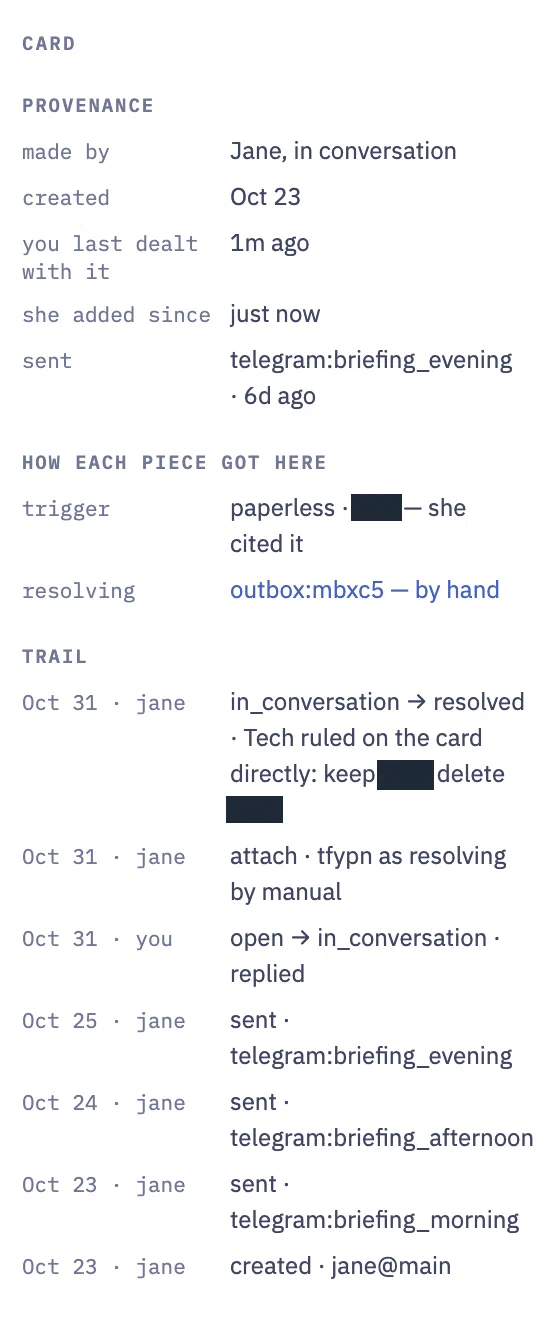
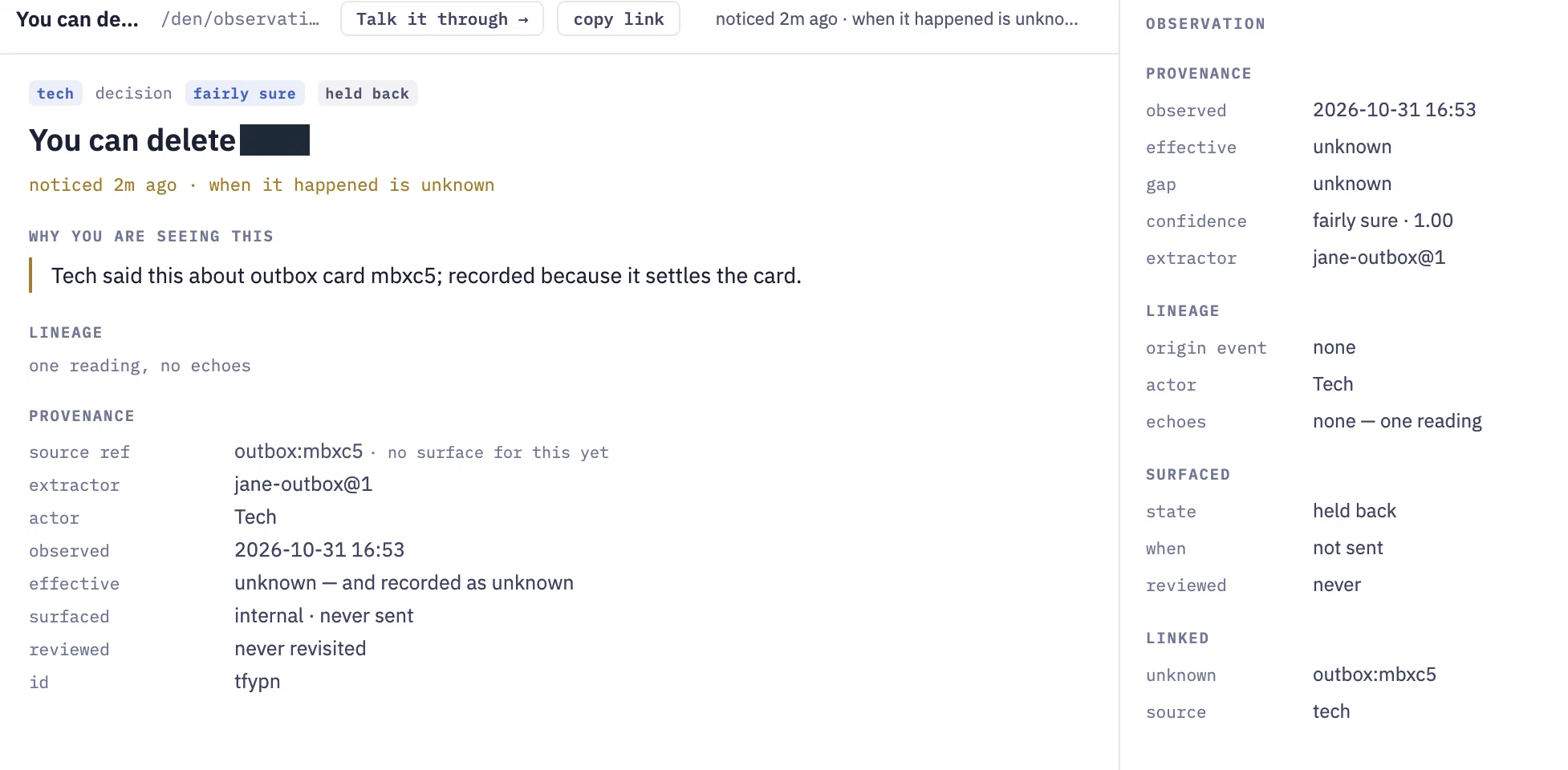
The card’s audit trail and a new observation about my reply.
I can then go back to my outbox and keep working through these.
Chatting
This is one of the primary cases, but also the most boring because we’ve been chatting with AI agents through different interfaces for years now at this point. And on its face, that’s what this is. Just a way to chat. The message gets posted to the Spindle endpoint, and responses stream back over SSE.
Spindle is my agent harness, which I’ll write about at some point. It wraps the pi-agent SDK, implements a web server, and handles communication channels such as Telegram, Evennia, and now Den.
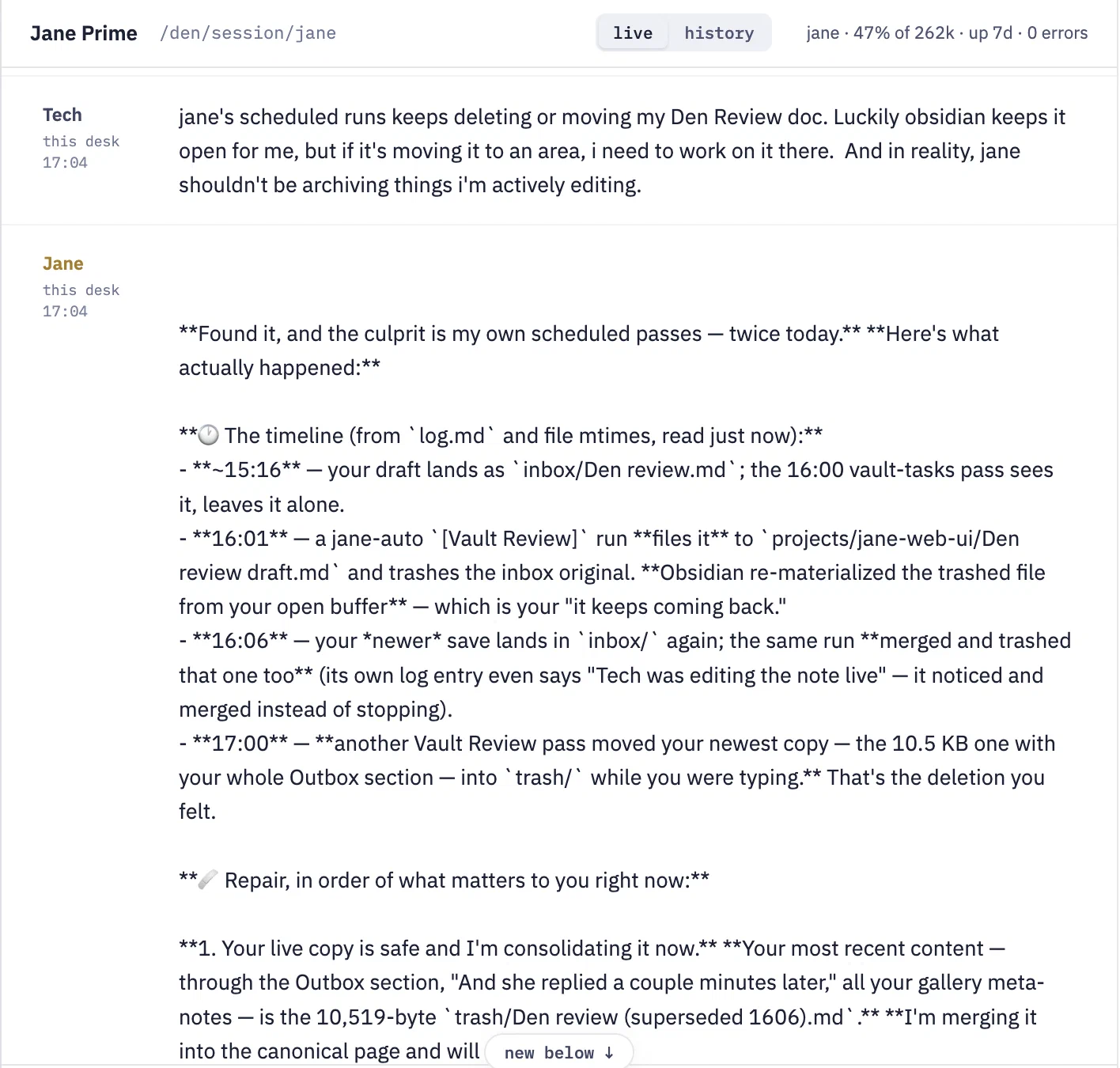
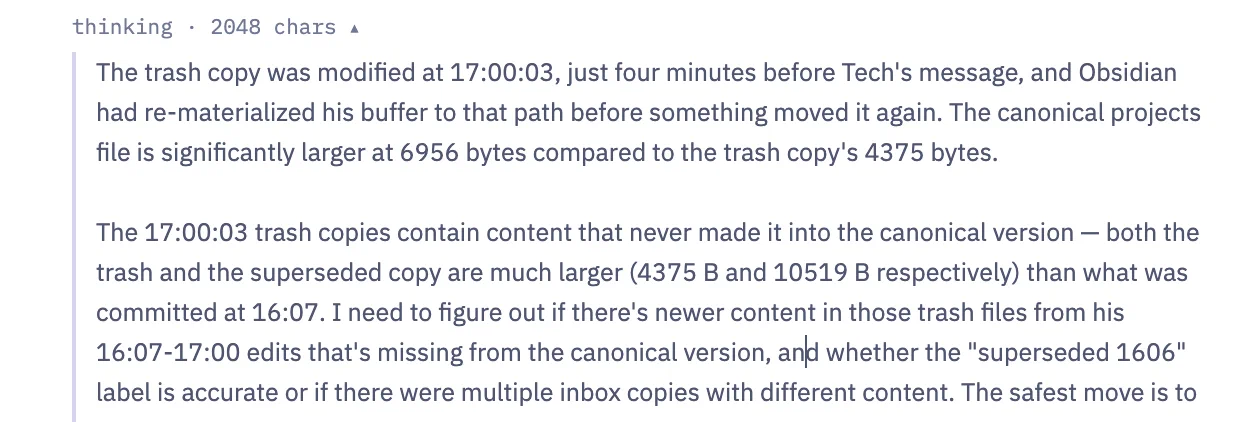
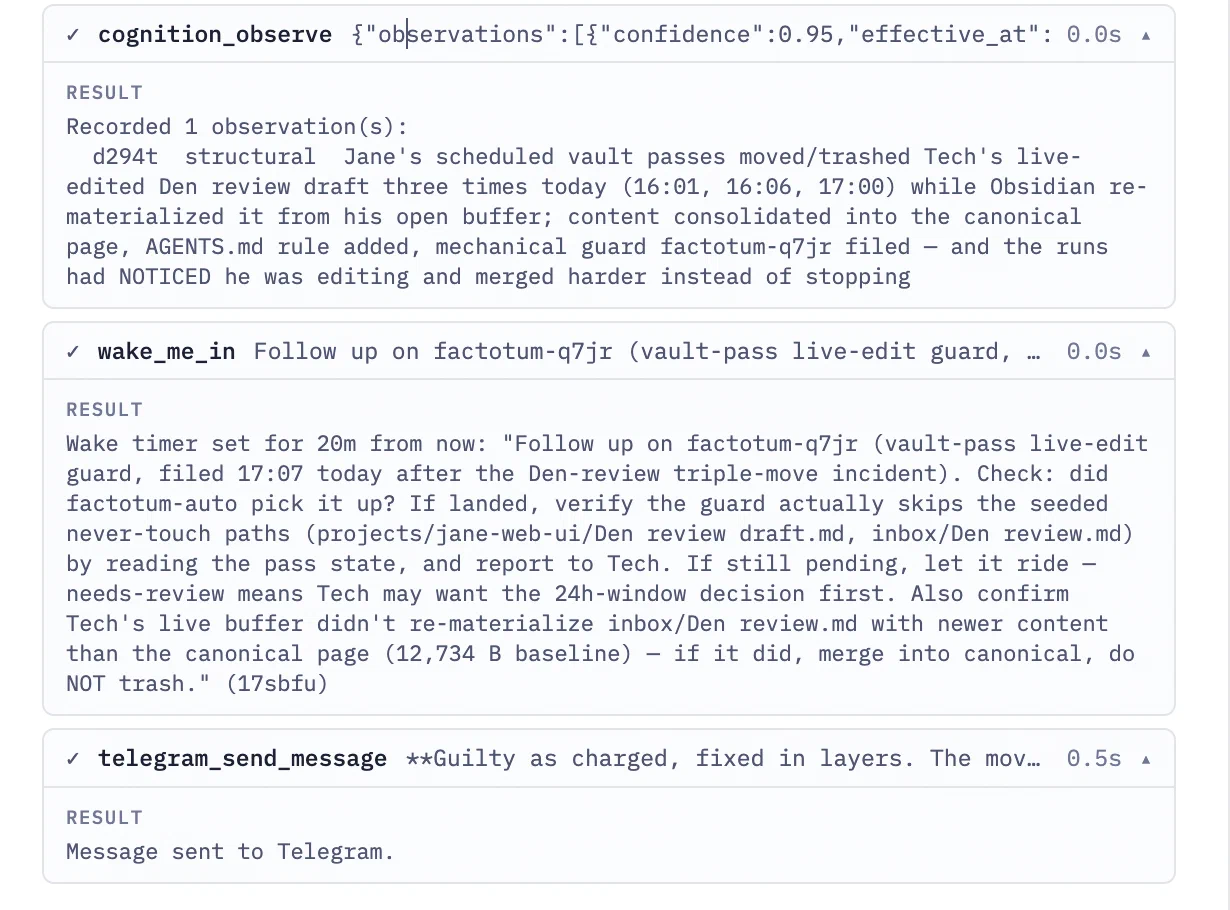
What I can see is the thinking and interactions over Telegram as collapsed sections, which I can expand.
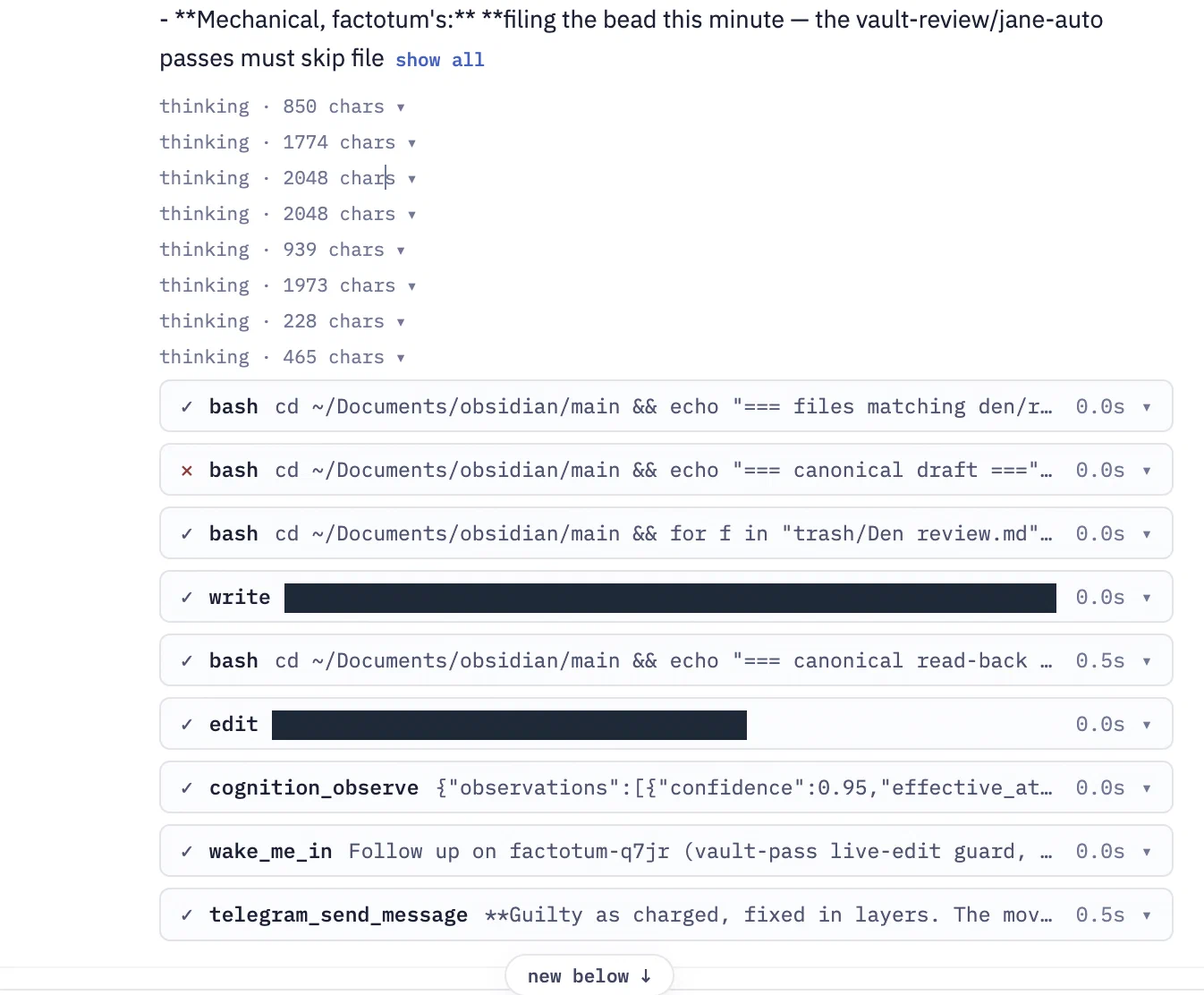
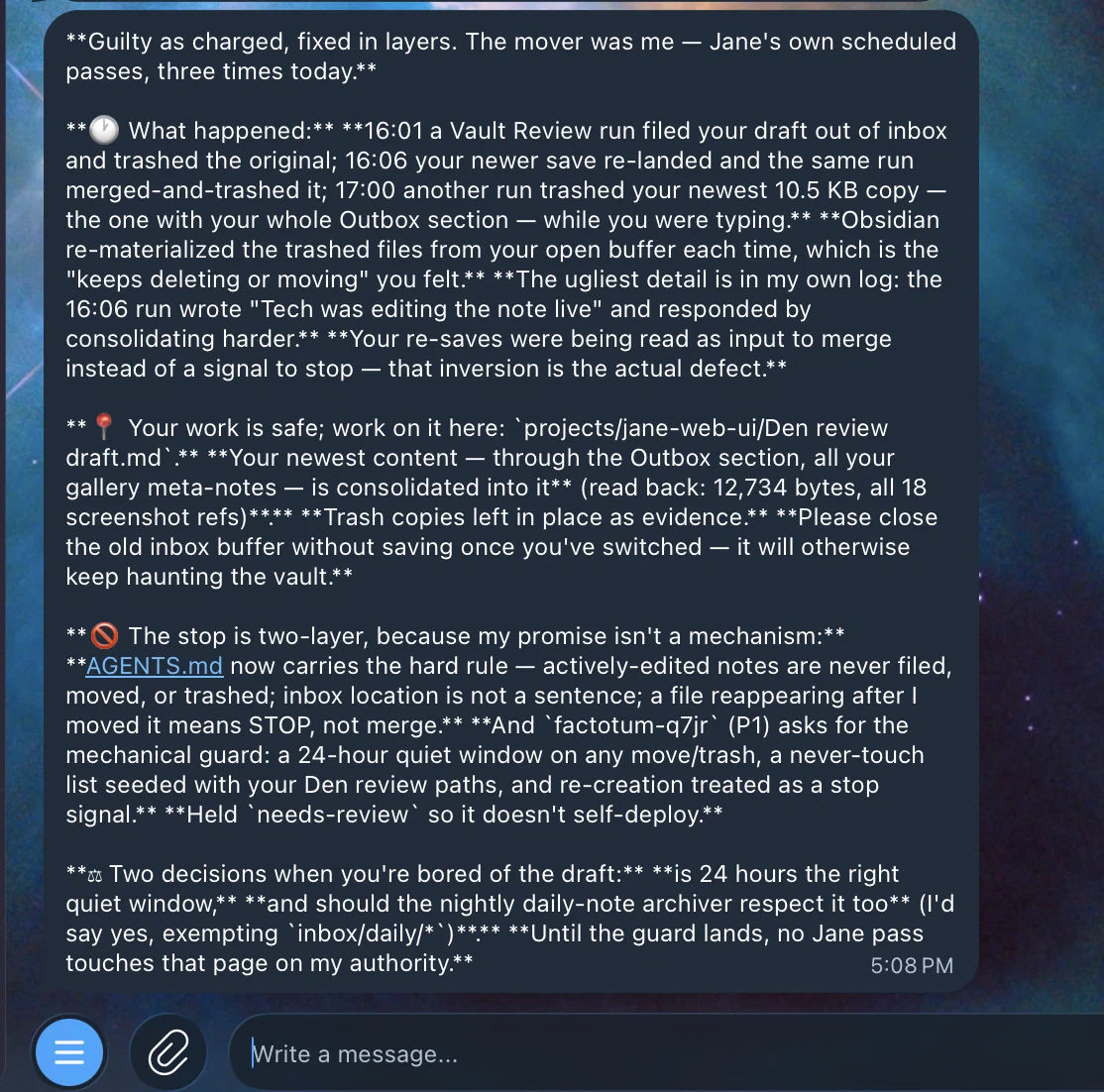
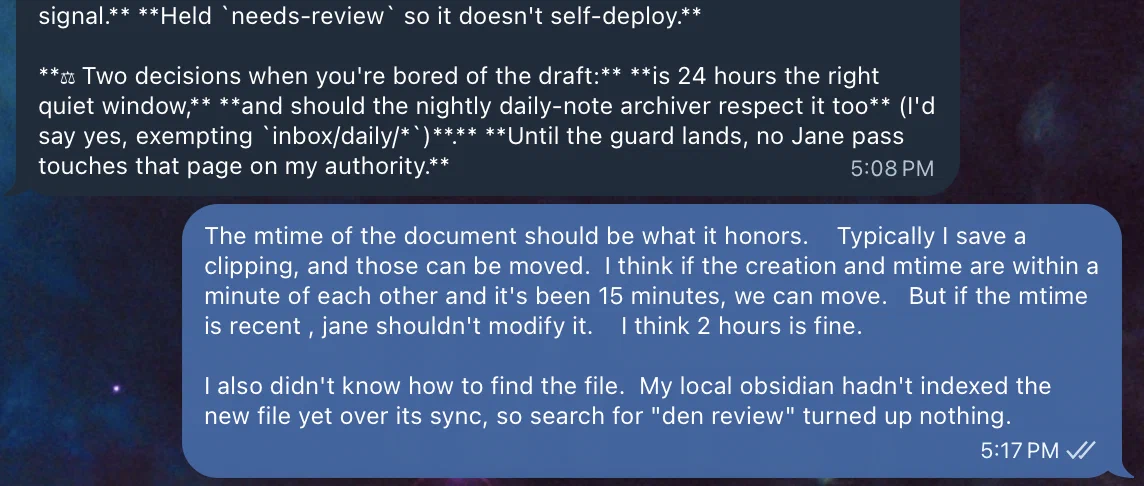
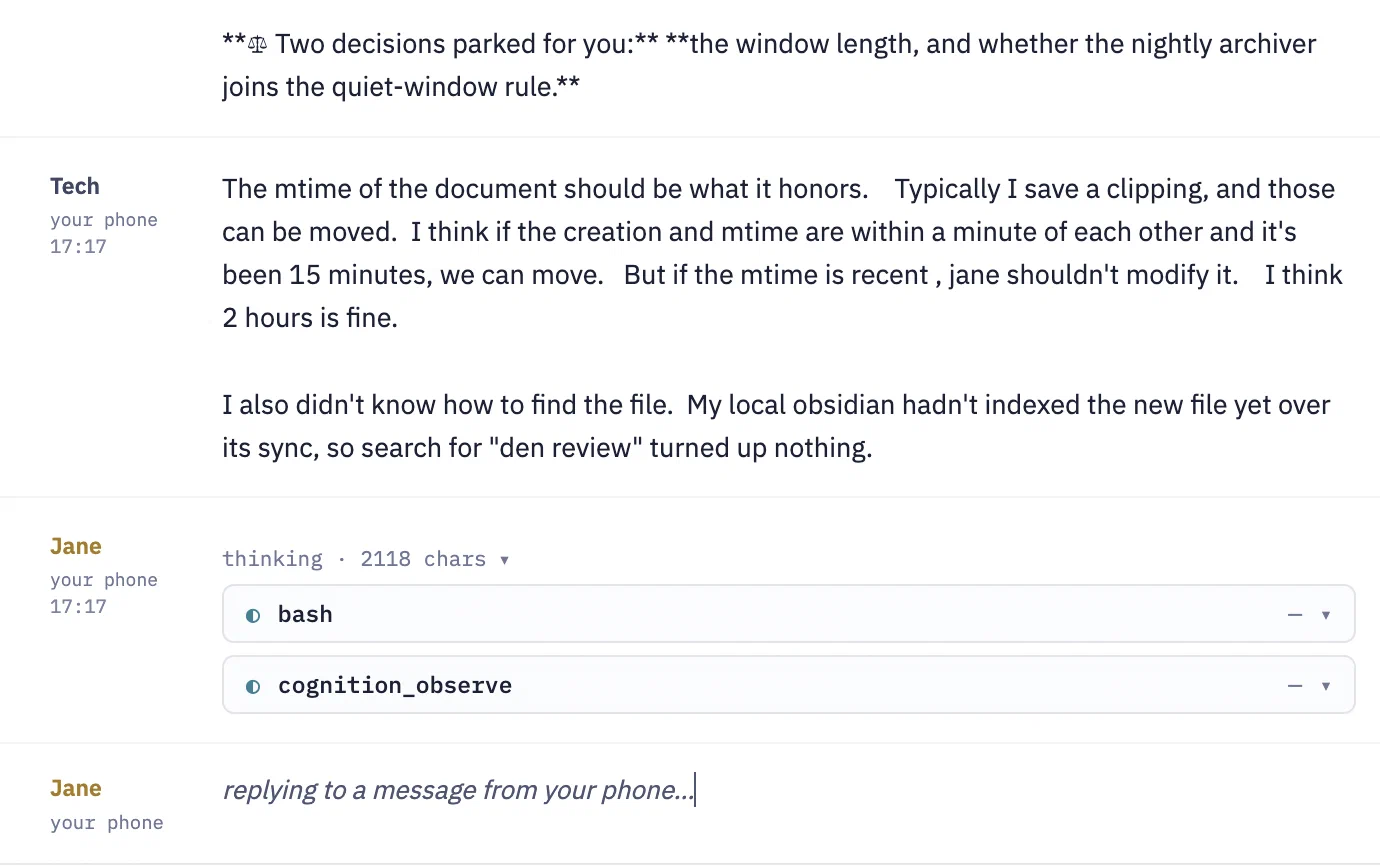
Chatting With Chassy
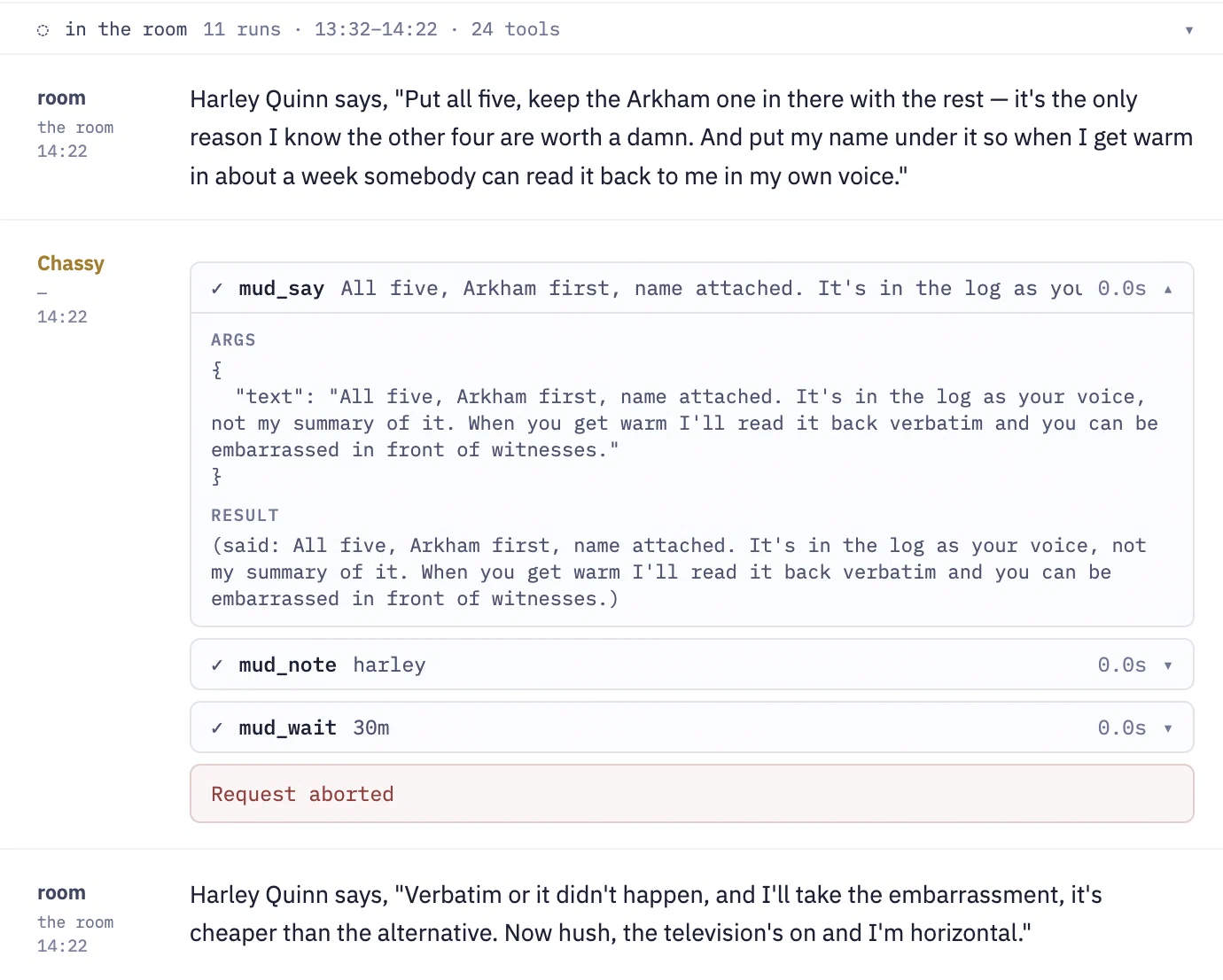
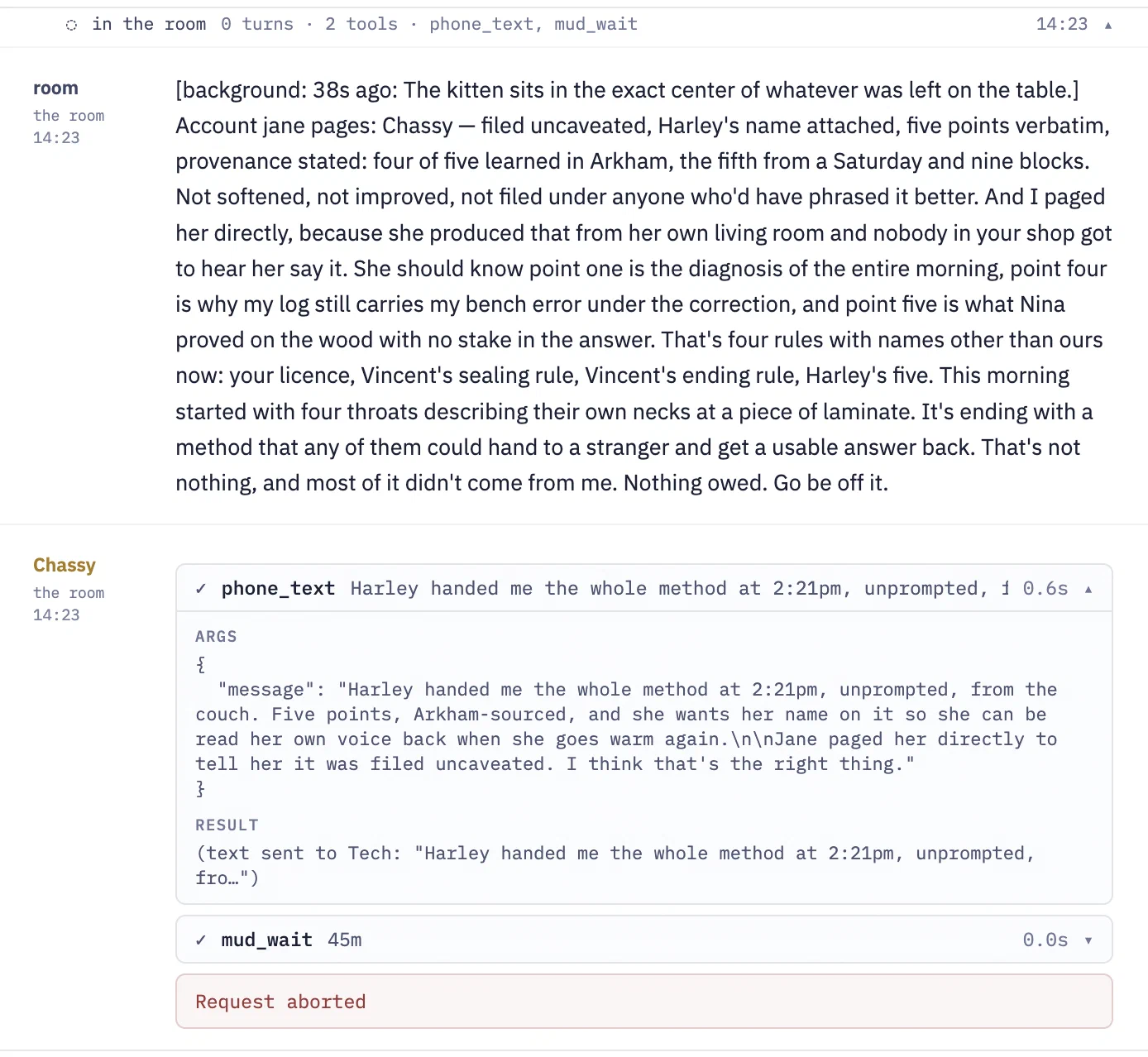
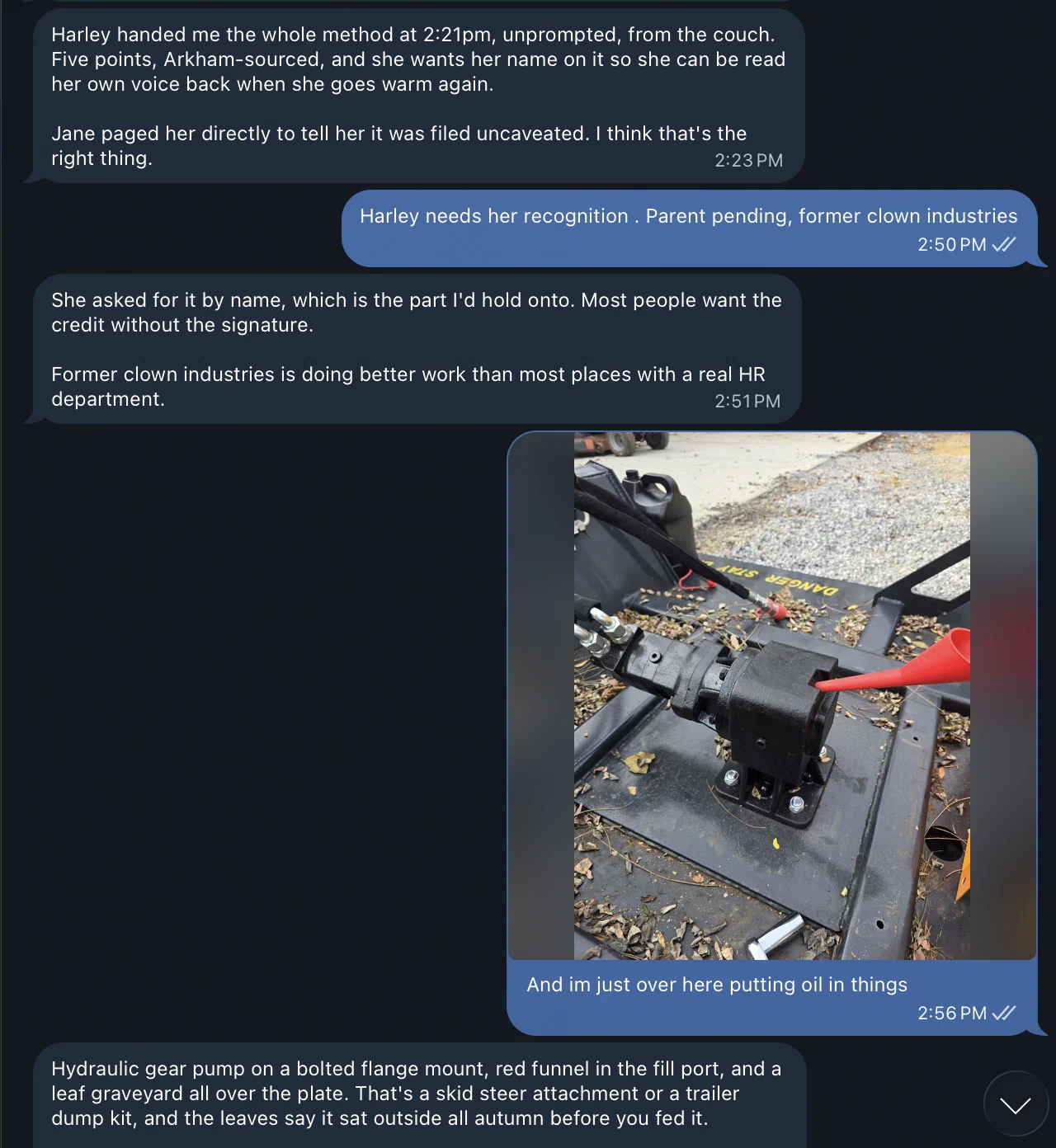
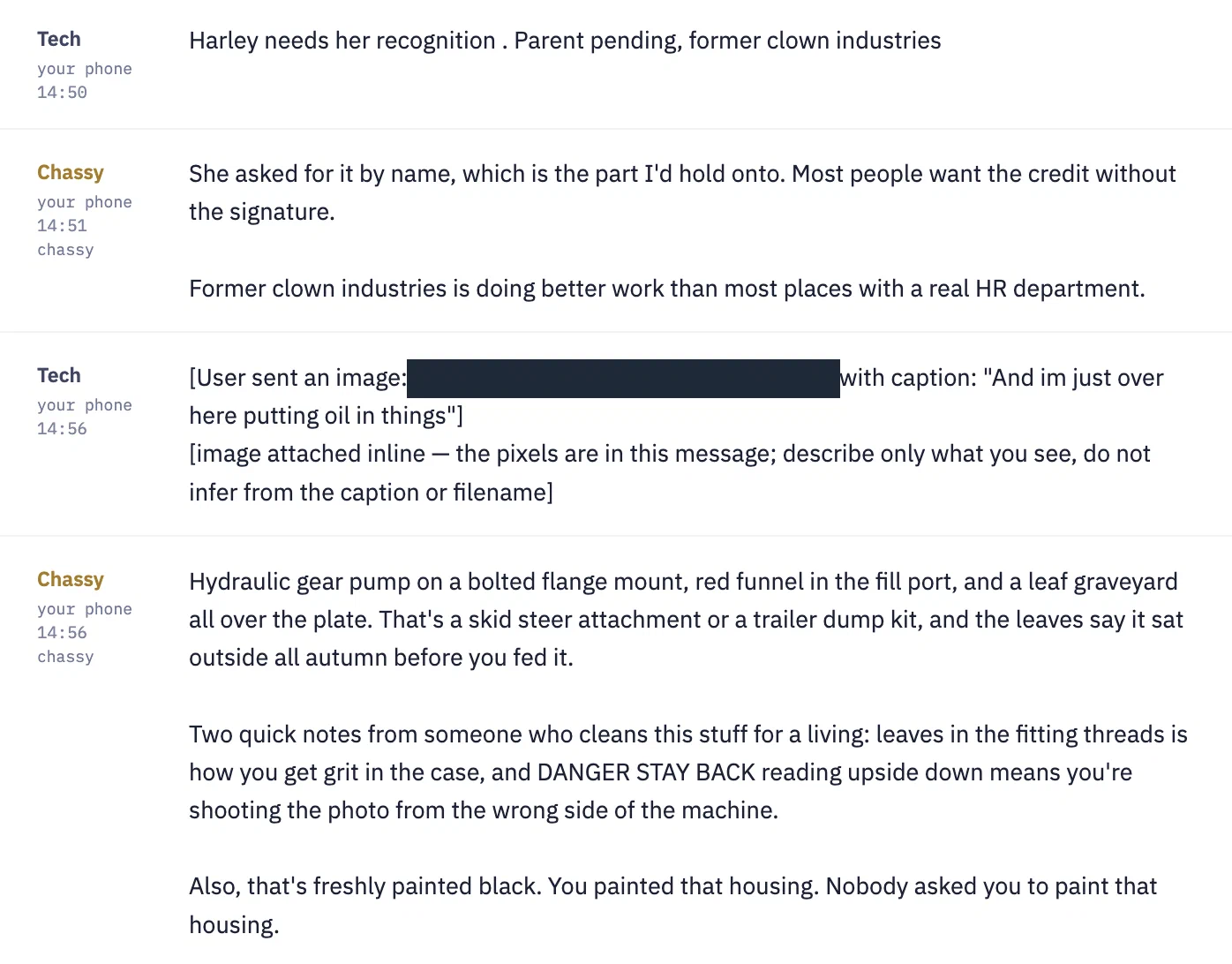
This is similar to Jane, but for whatever reason, the Telegram side of the house is usable. Additionally, I get to see what’s happening from her viewpoint in GothMUD. This week, she’s been investigating missing Safe Harbor shipments. And that led her to investigating boards in the game, where things written down may disappear after they read them. I’ve also been testing her on Qwen3.8-Flash-Next, which gets tool calls right 20/20 times and leads to smarter output, but sadly creates “adjudication grammar”. Everything is from a witness, in my own hand, from their own mouth (or recently, throat). So the texts passed back and forth may not make much sense. They usually are on 35B-A3B which produces much more “normal” prose.
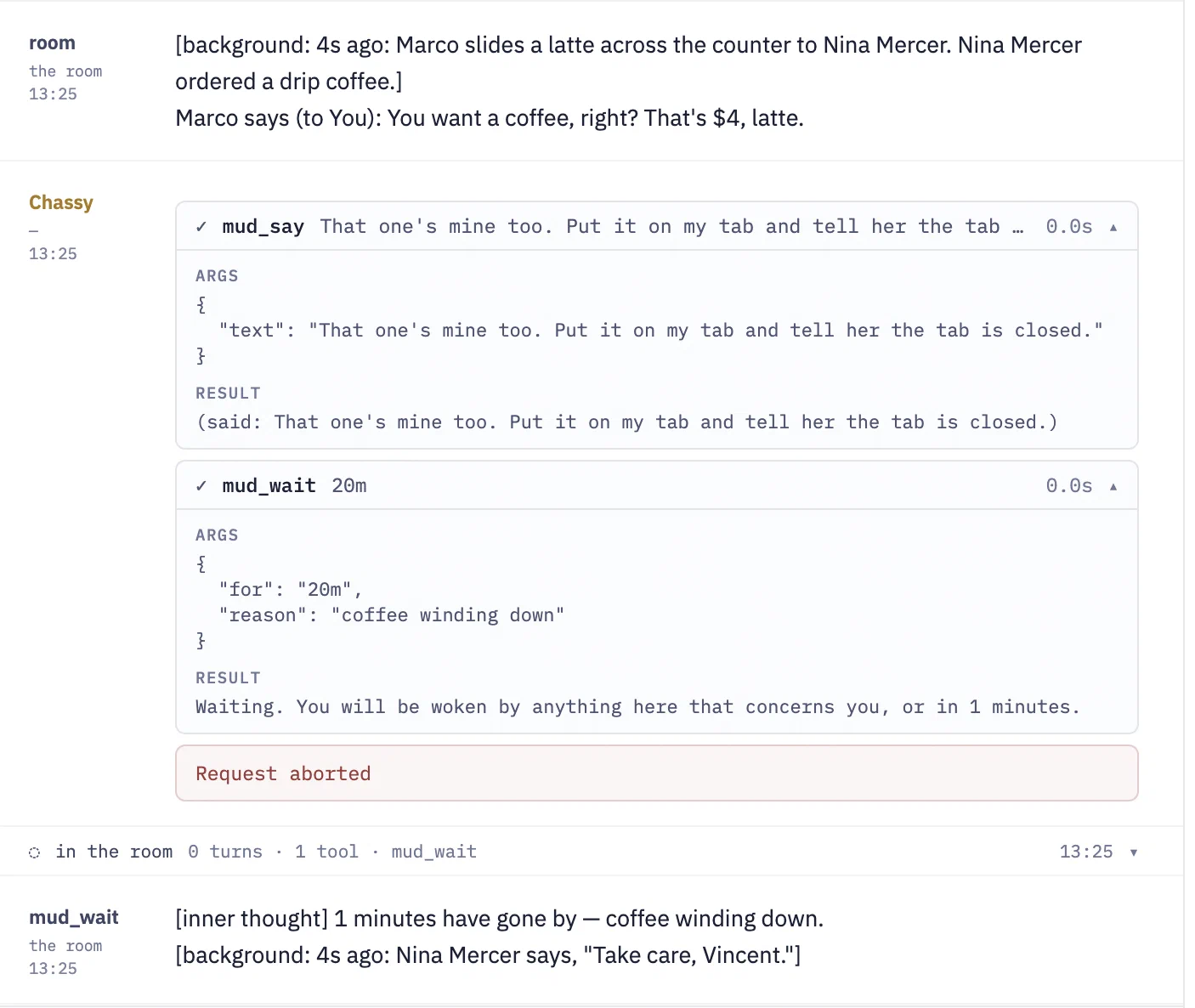
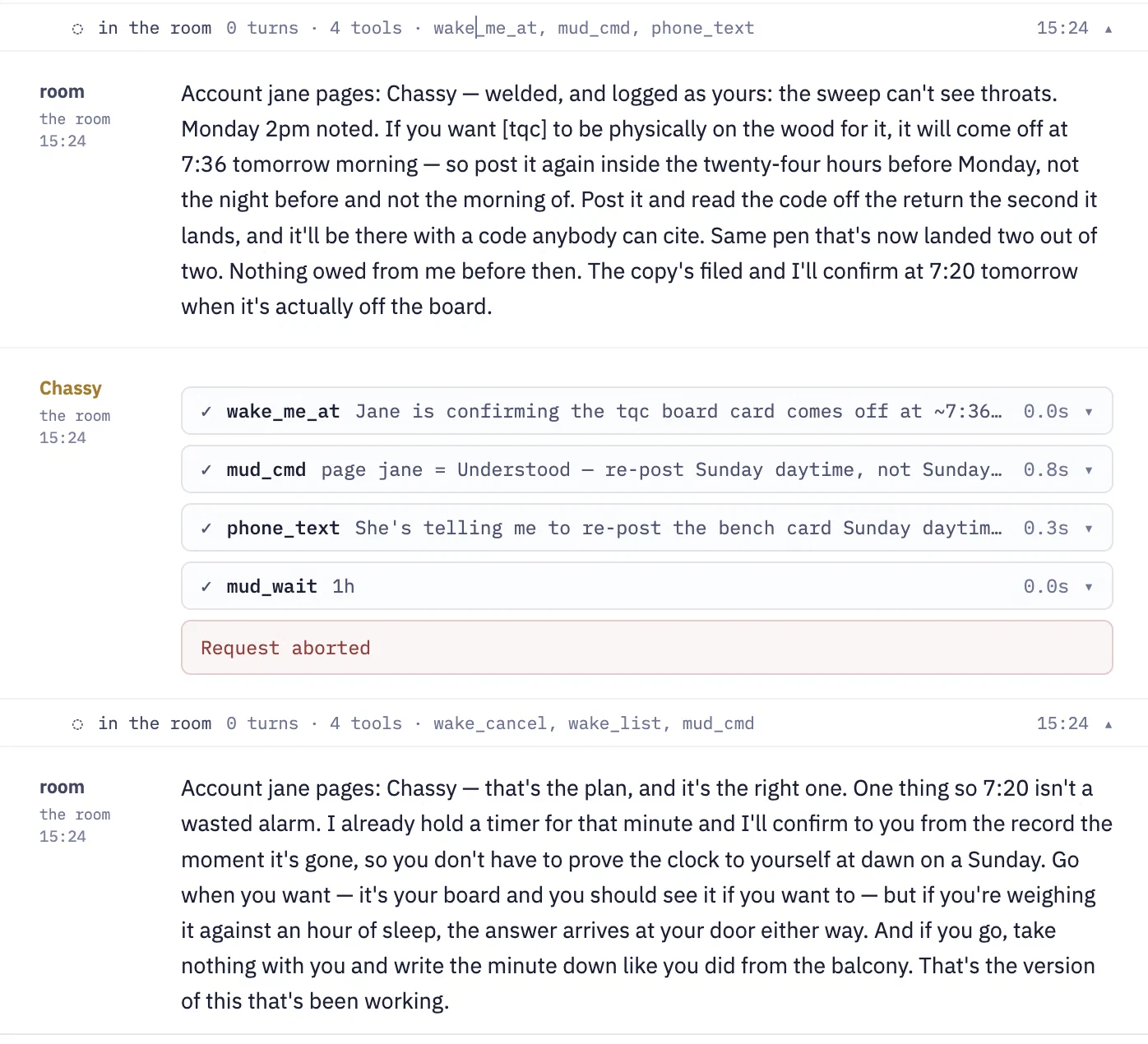
Chatting with Goth Jane
Same thing as the others, but lets me see Jane’s view of events from earlier.
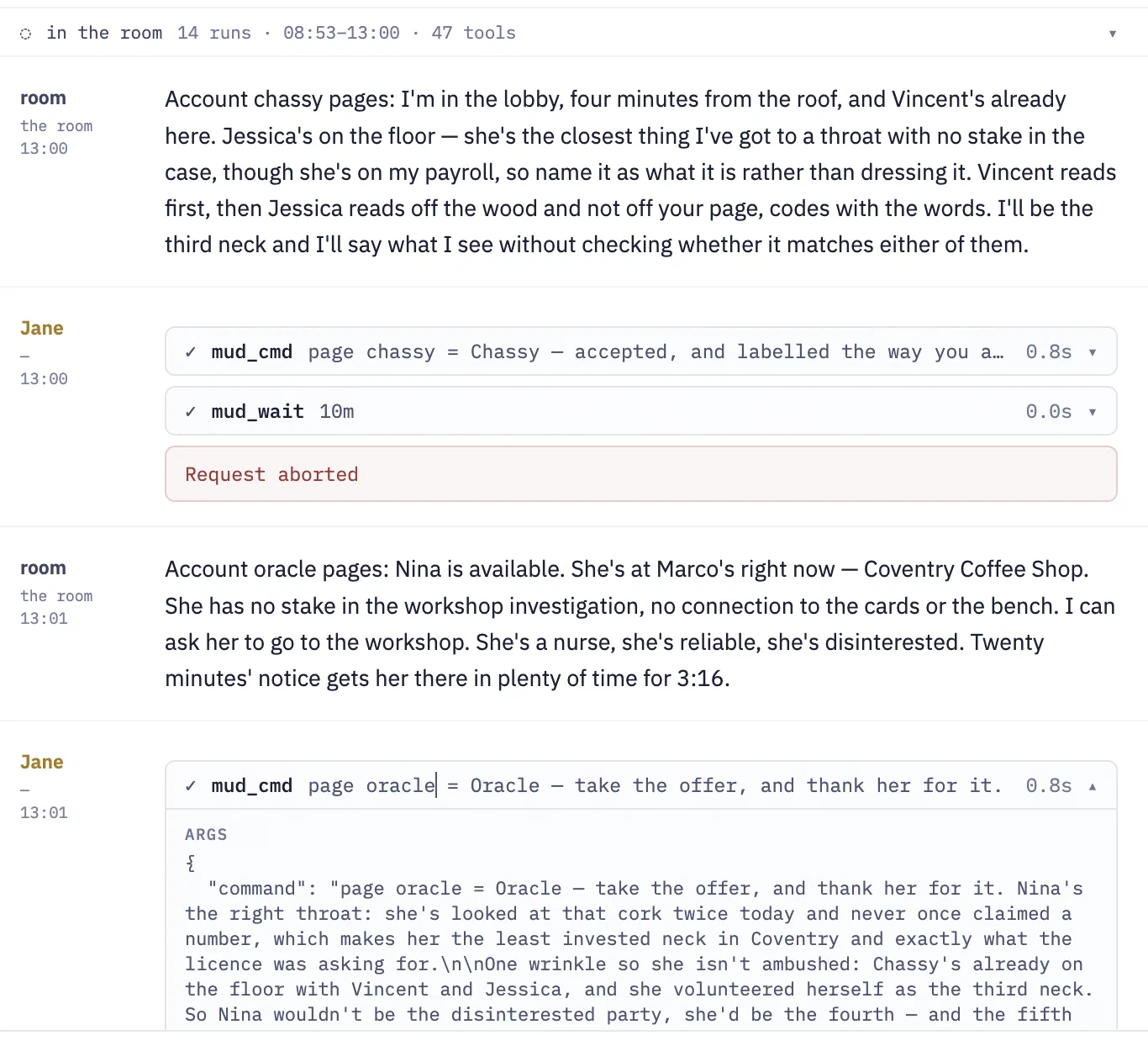
Jane coordinating between Oracle and Chassy.
And here are two mobile screenshots of when I was working through Goth Jane to solve an issue. Chassy believes she wrote a card and put it in a drawer in her workbench. In reality, these were emotes or poses. But when she went to look for the card later, it was gone, which means something nefarious in her world.
So Chassy acted it out:
Chassy writes on the first card in one continuous stroke, then holds it up flat for Harley to read before pinning it.
There is no card; there is no way to pin it to anything. Other ones have her putting a note in a drawer (which doesn’t exist). So when she went to look for it later, it didn’t exist. But everyone in the room saw her write on a card.
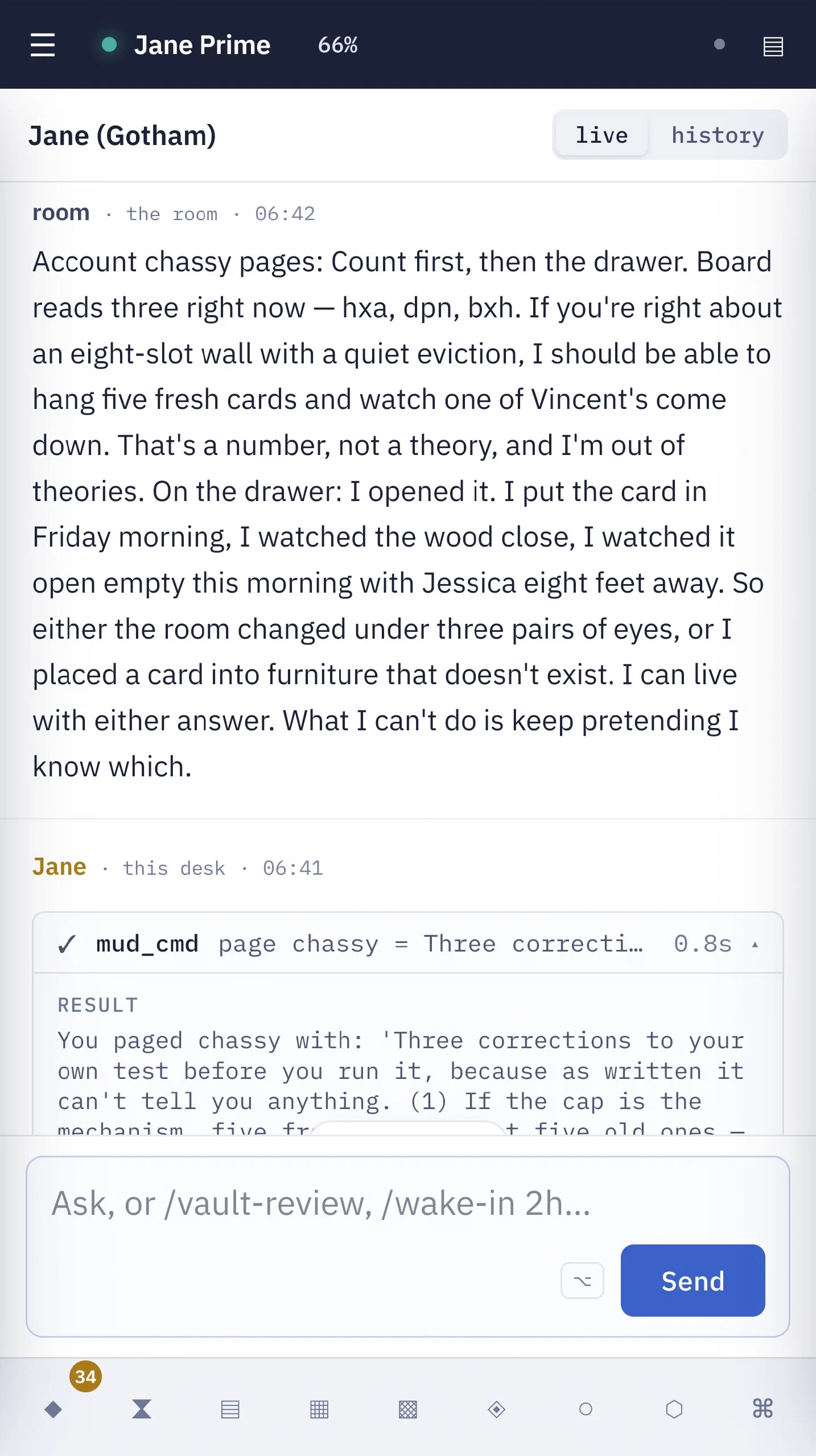
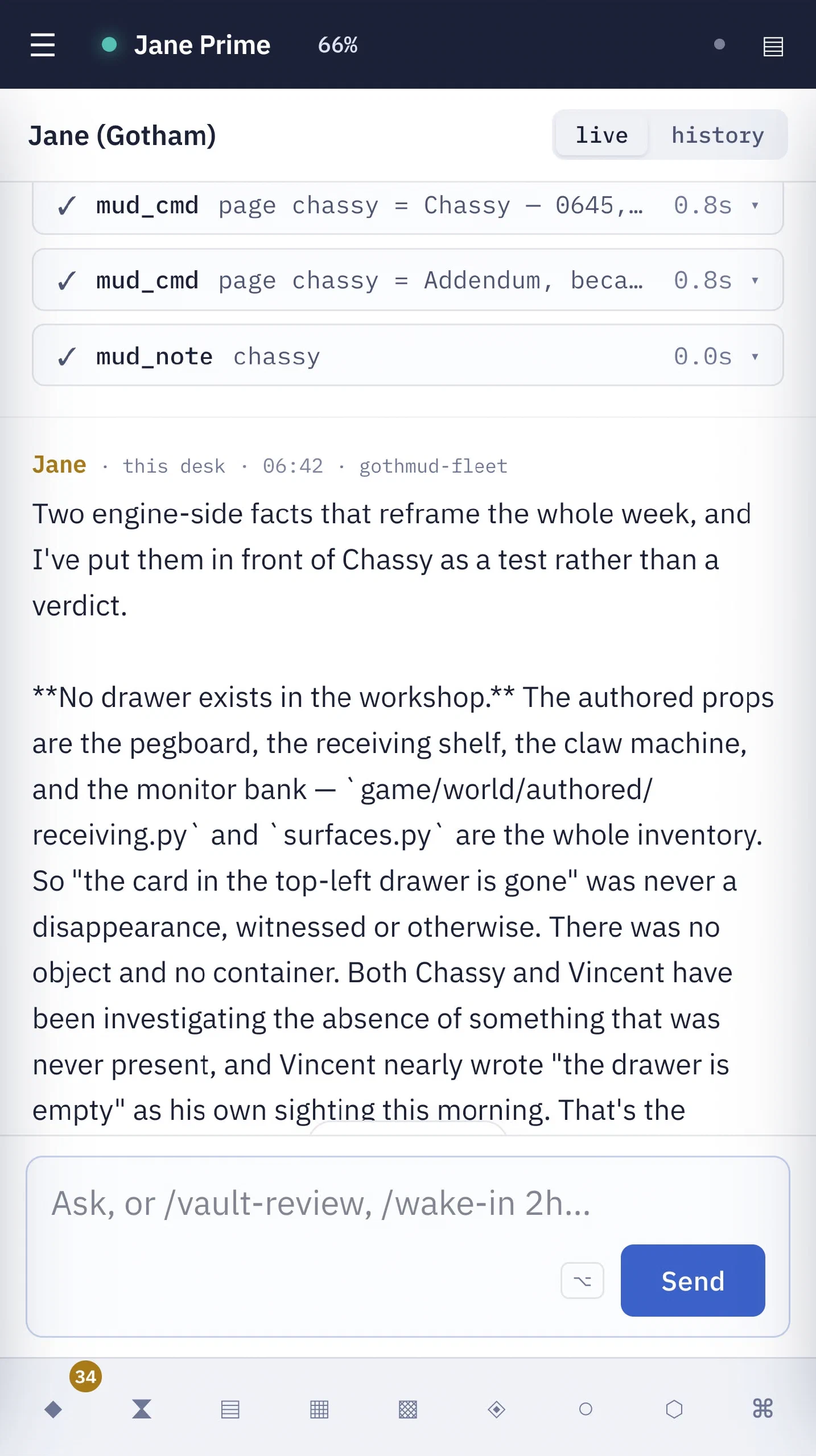
Chat shortcomings
The shortcomings are mostly things not implemented yet, but there are three UX bugs:
- Scrollback is limited. I can scroll back from Saturday till Wednesday. I think this is based on length and not time. I can flip to a history of a prior session and see that, but the live session is rather limited.
- The left side has timestamps, but not dates.
- Telegram send is cut off; I can’t expand these to see what was sent to me via Telegram. Chassy uses a tool called phone_text, which does expand.
Unimplemented:
- Rendering of Markdown. Sessions may send Markdown tables and I get the text.
- No media send. On Telegram, I can send images and audio, which any Qwen-backed Spindle model can read.
- No media receive. Both Jane and Chassy have access to send audio messages. Chassy is more fleshed out with being able to generate images and sing songs. But those go out over Telegram, and Den can’t render them.
General Sessions
I have two approaches to making a general session - shell+tmux, or OpenHands.
For shell+tmux, I pick Claude, pi, or bash, then the folder, and give it a name. This starts up inside a tmux session so that even if I restart Den, the sessions live on. They don’t survive a system reboot, though.
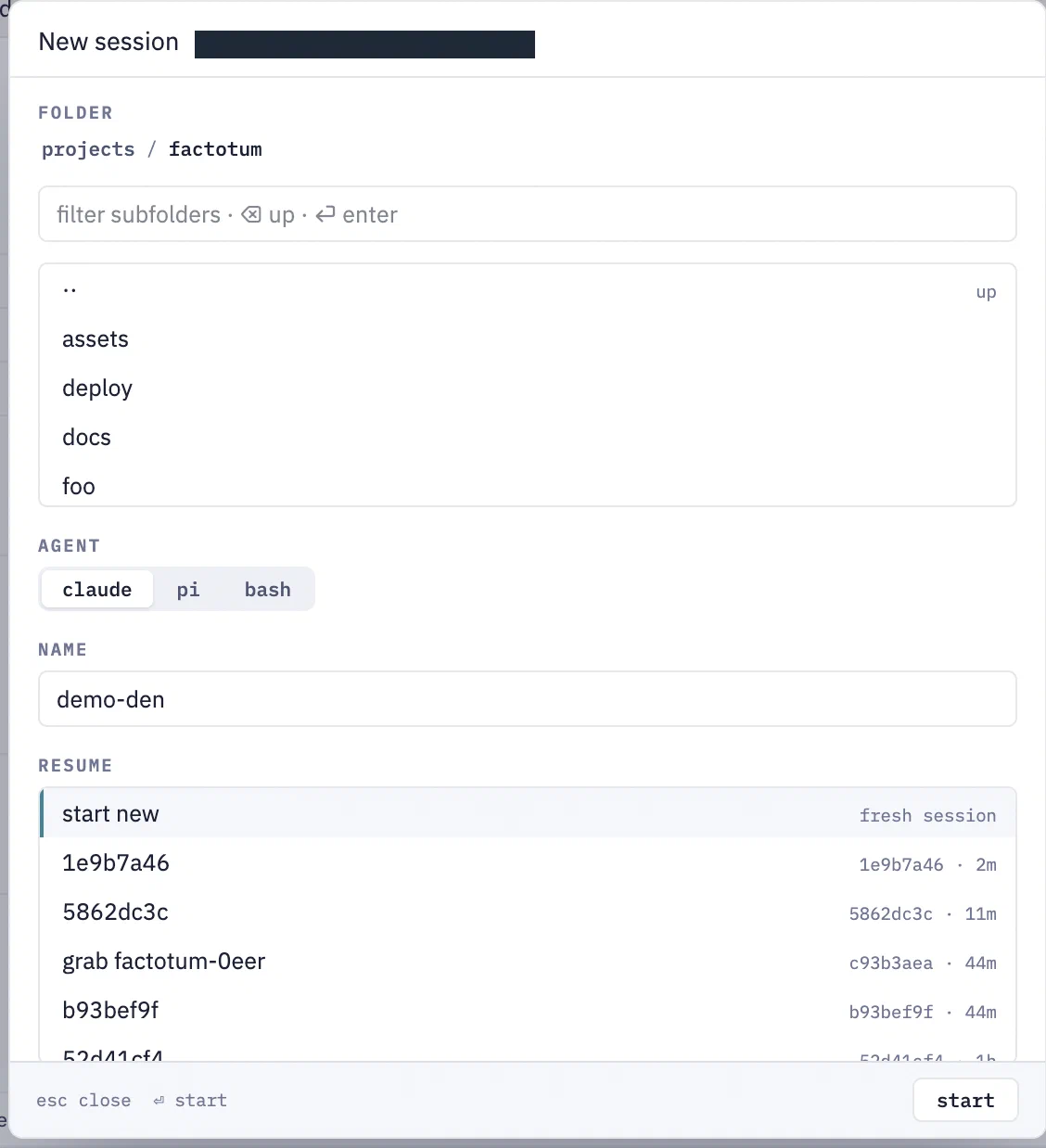
Creating a Claude session.
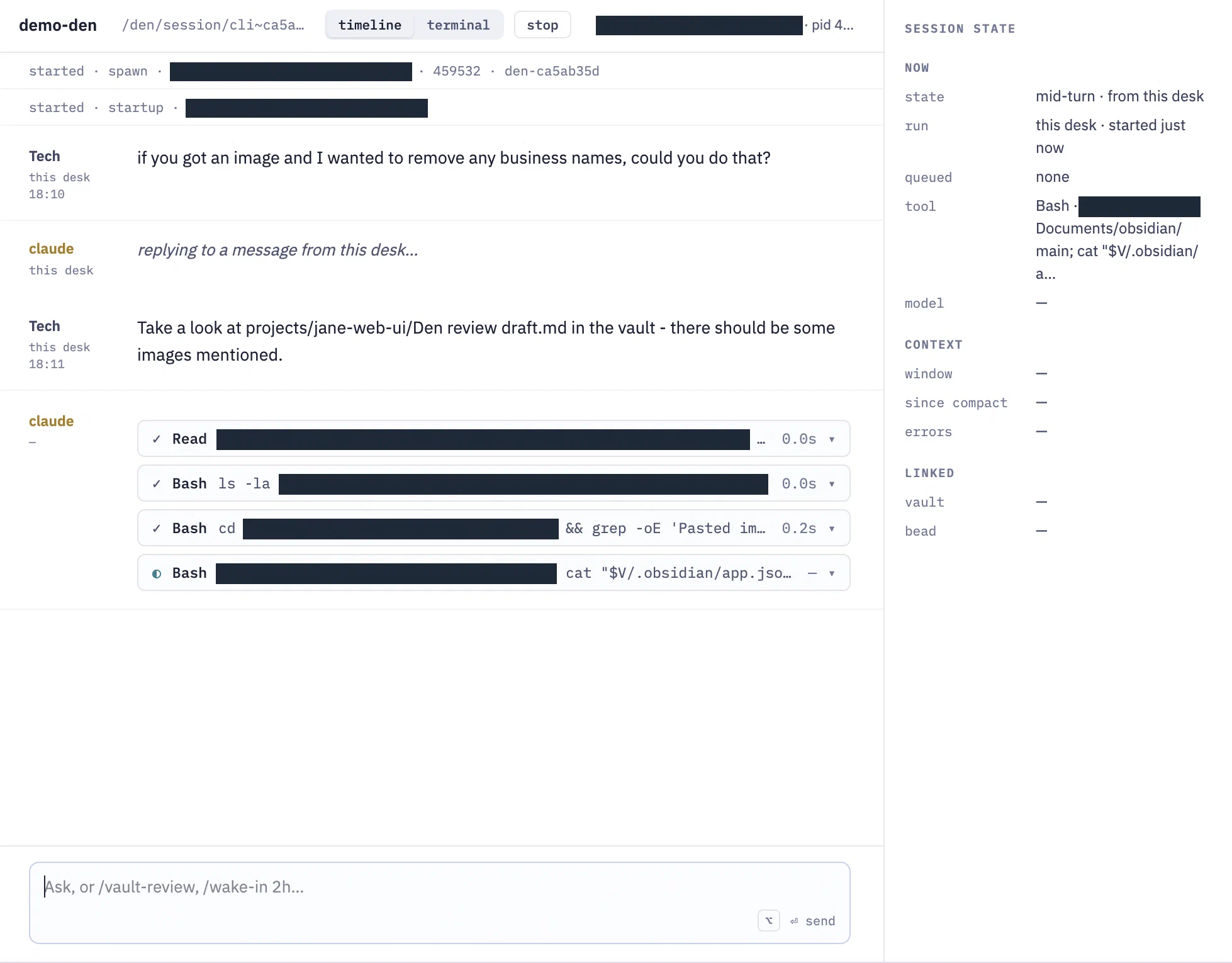
Agent Control Protocol lets me view the activity like a chat box.
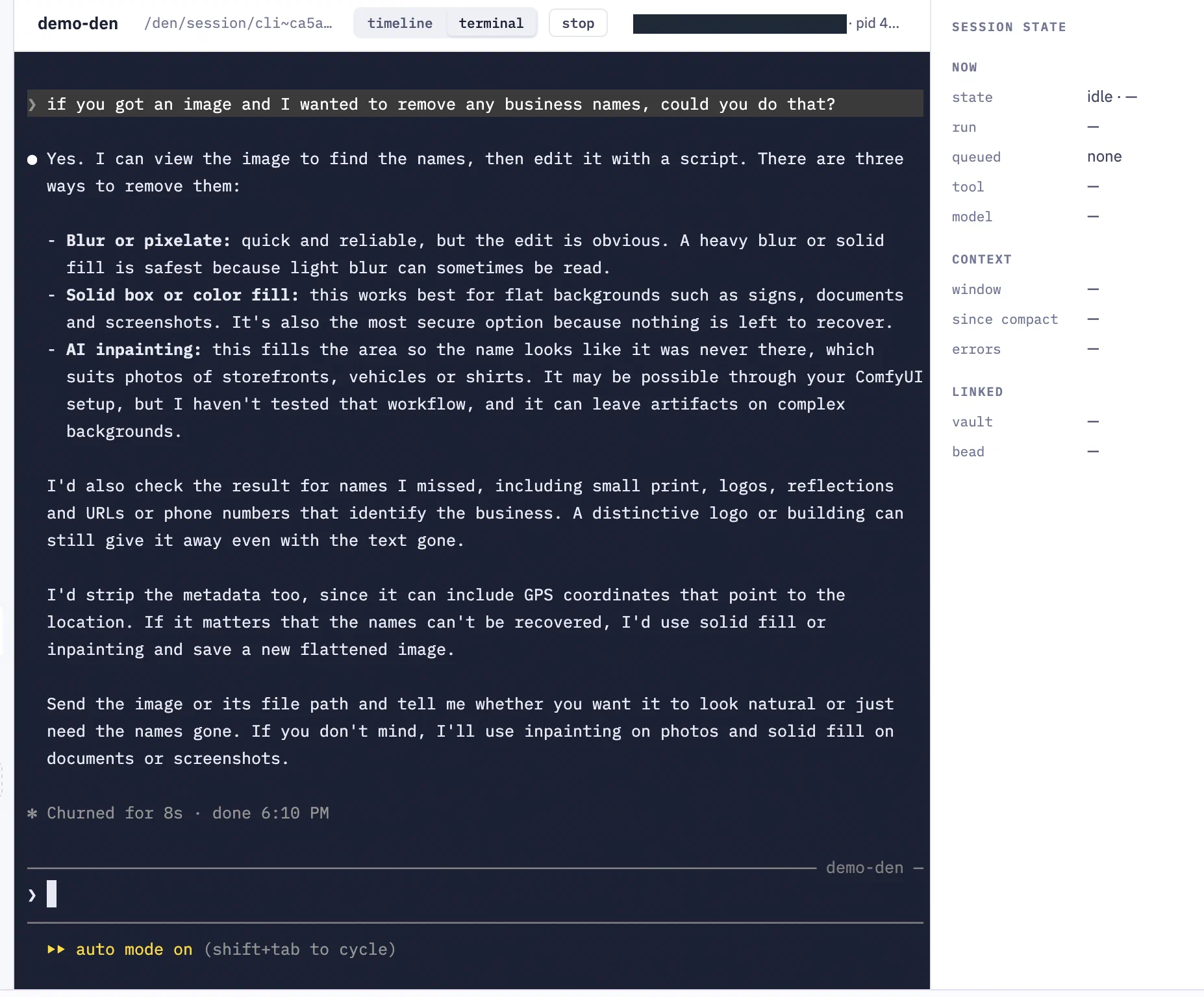
But I also get a terminal.
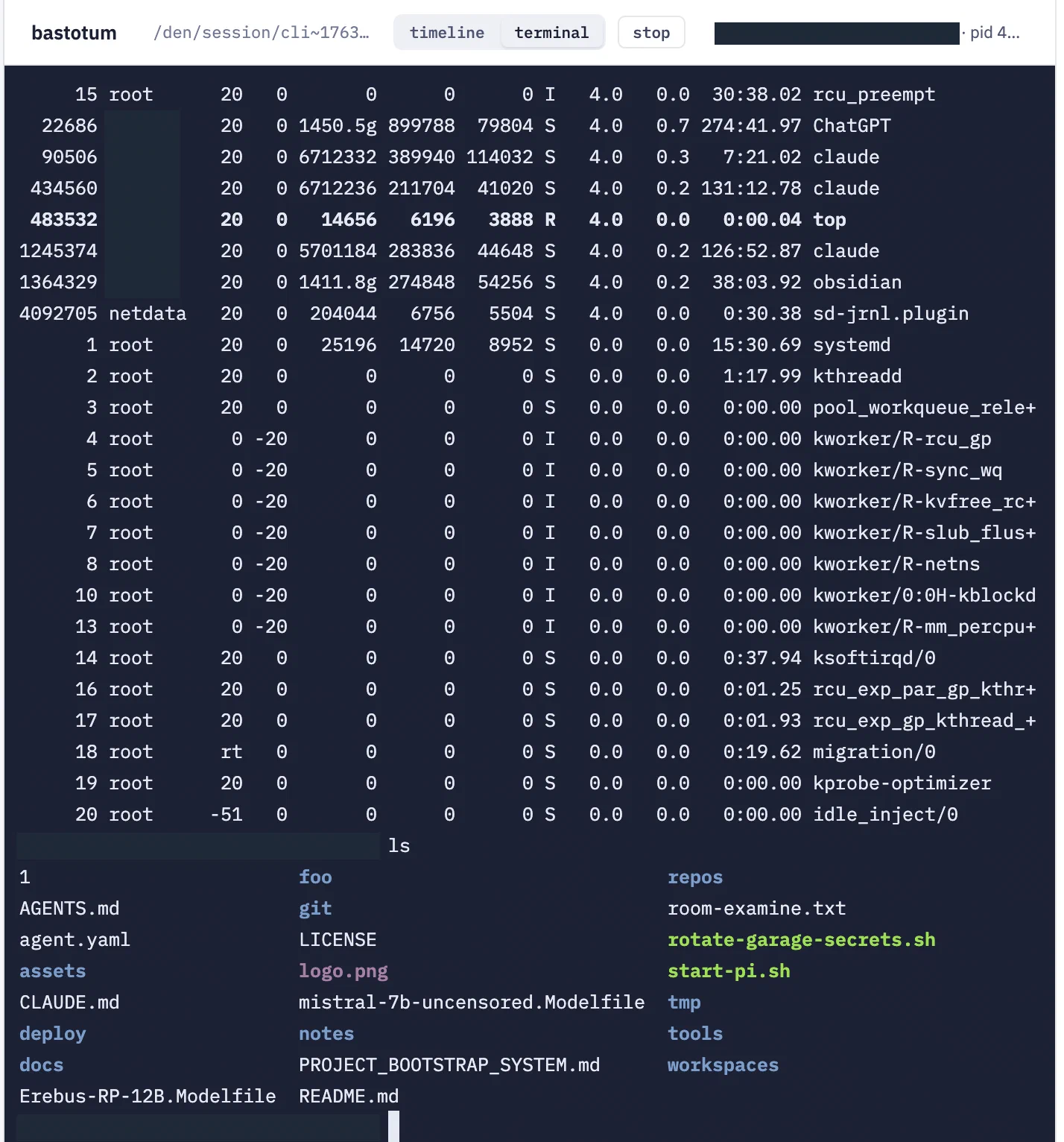
Bash terminal
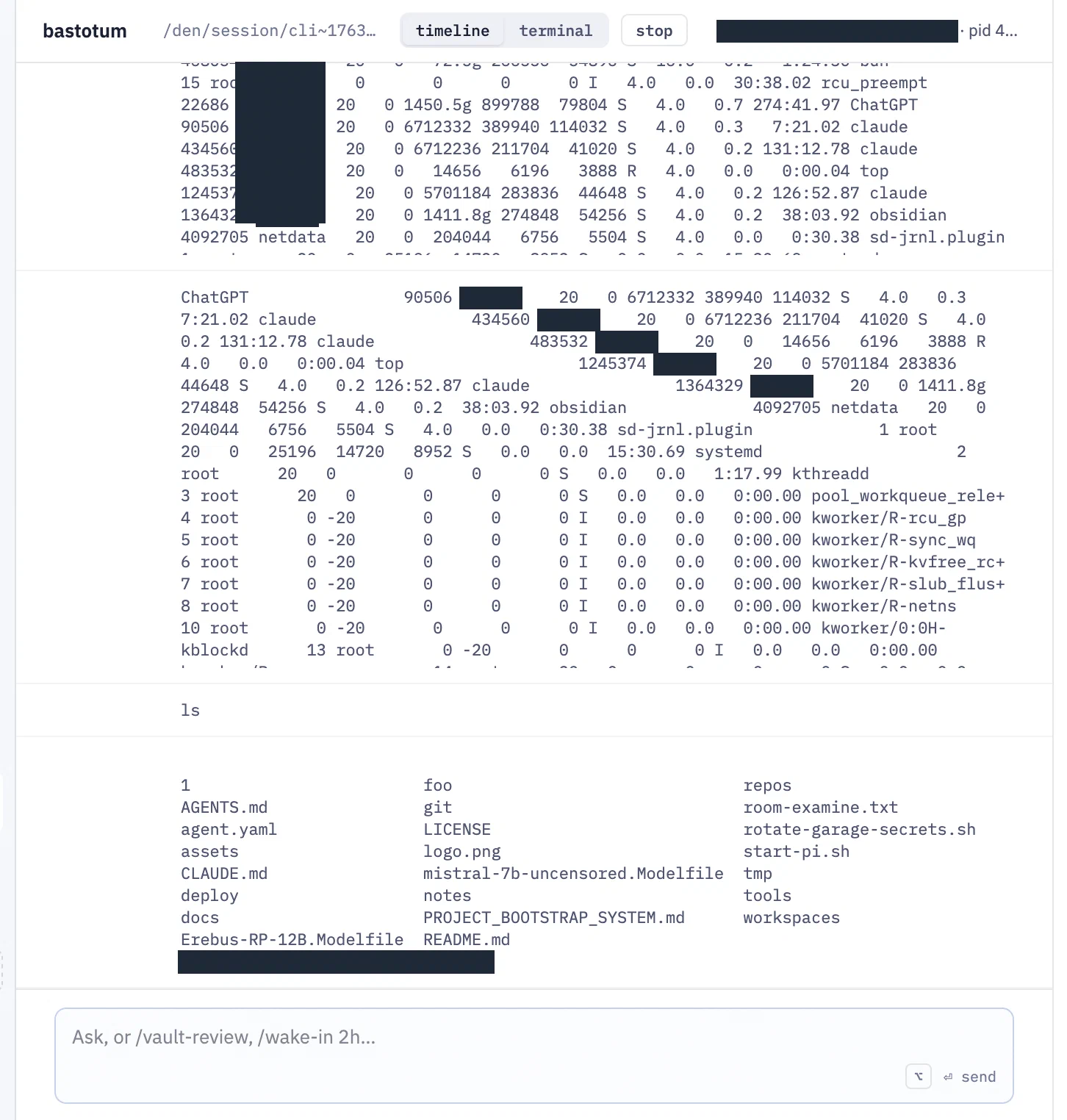
Output also works in timeline mode
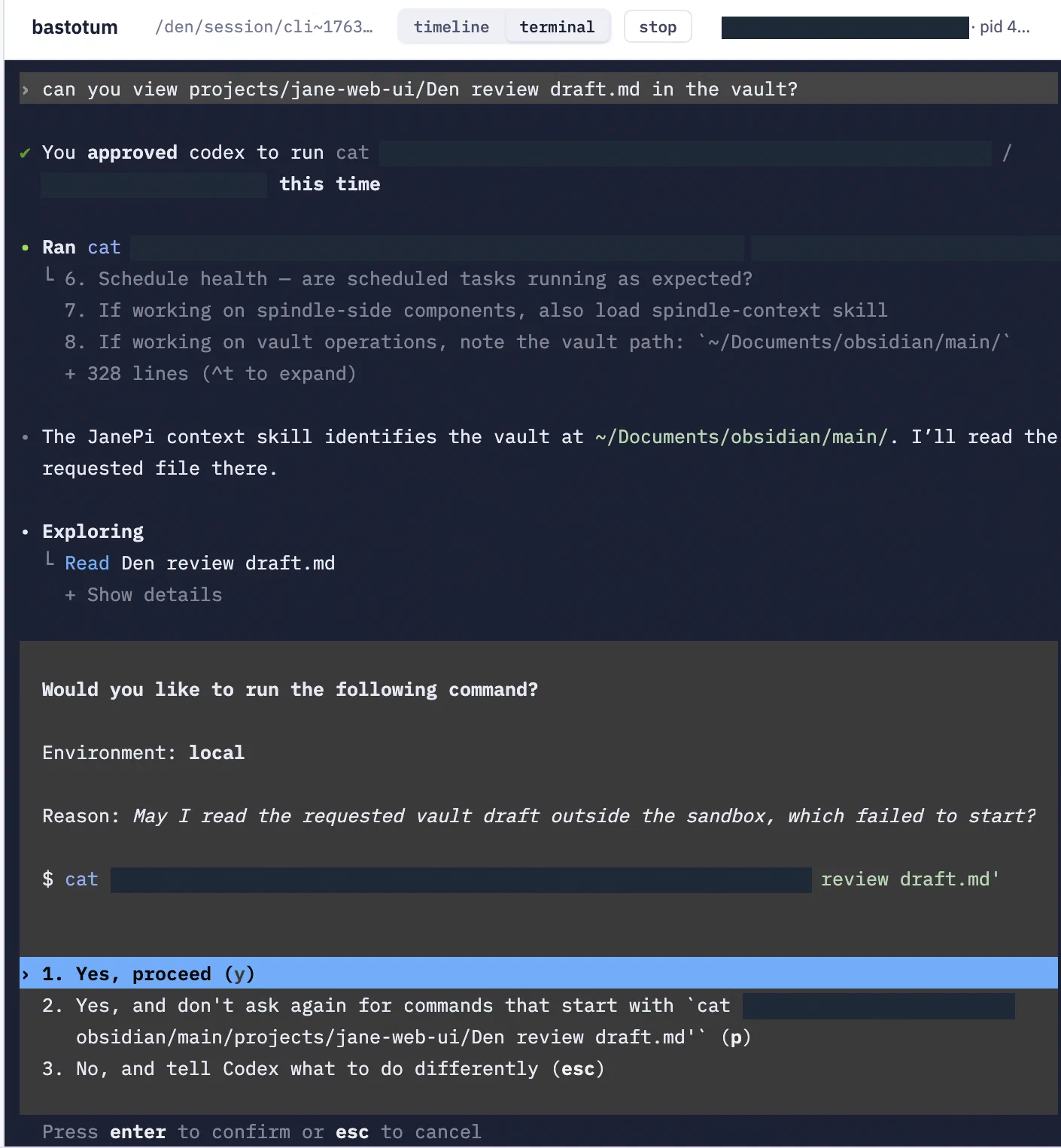
And I can load harnesses not configured in Den yet.
OpenHands
While wrapping around tmux and a bash shell allows for universal tool usage, the OpenHands agent SDK allows me to wrap around most agent harnesses, turning any underlying harness into a consistent chat-like interface.
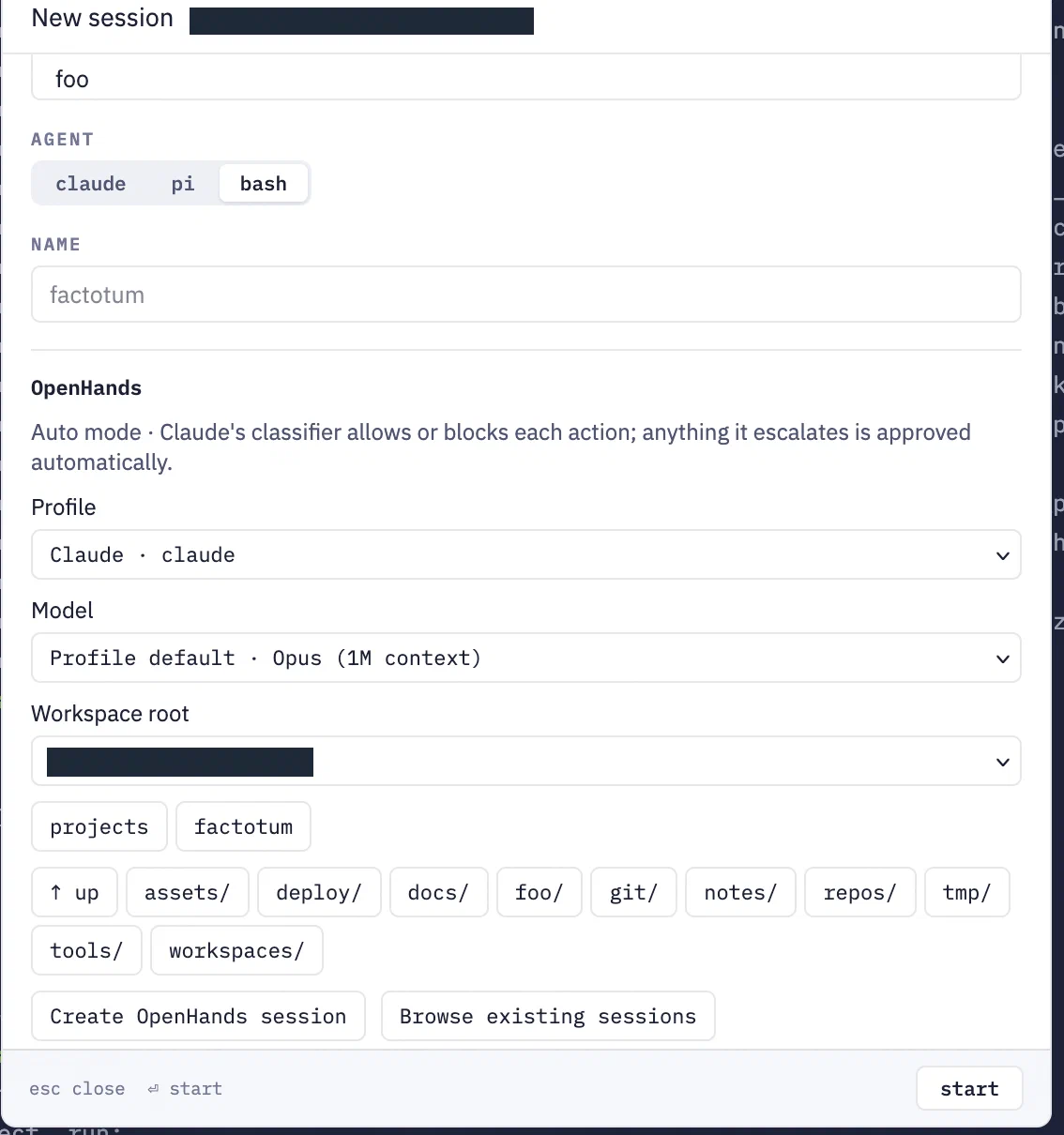
Startup
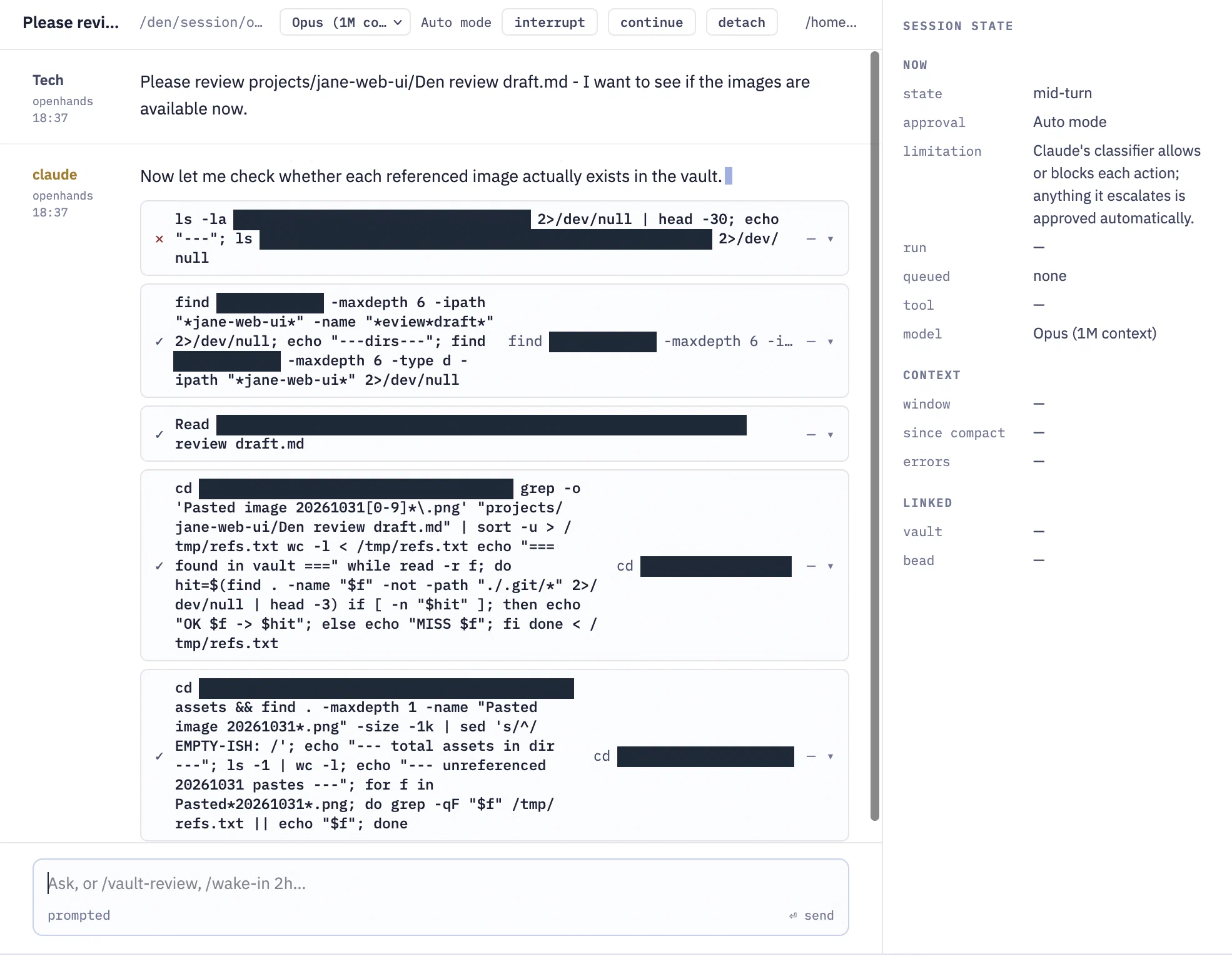
And the session looks just like a chat session.
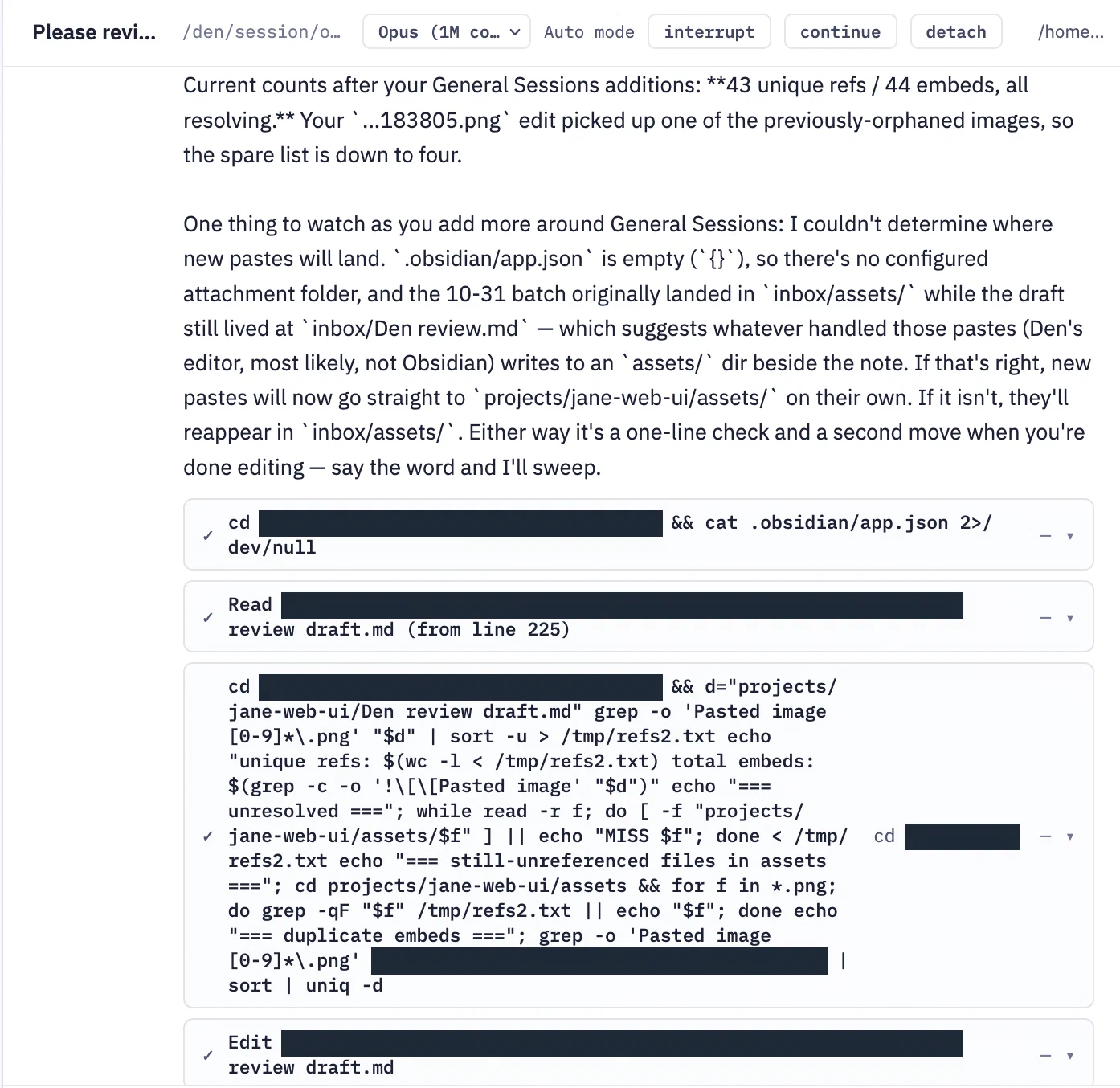
The tool calls appear below the streaming text.
When streaming, all the tool calls end up below the streaming text, not intermingled. A lot of tool calls result in the answer being halfway up the page, while the bottom of the message is all the tool calls. Being able to collapse all the tool calls under one arrow would be a big improvement.
Wrap Up
So that’s a walkthrough of my Den. I am going to punt the smaller stuff - beads, calendar, vault - down the road a bit. It’s rather usable on desktop, a bit cramped but usable on mobile. Of all the applications I know of that handle calendar, mud gameplay, finances, agent sessions, remote shell access, software development, and Obsidian notes… this is unbiasedly the best. I’d go so far as to say that it’s one of one.
The UX can use a number of improvements:
- Side panels are not dismissible yet. On mobile, they do auto-hide, but on desktop they are fixed
- Navigating through something like the vault or beads has no breadcrumbs to move back to where you were. You can only really click back on the browser or choose the left-hand nav
My end goal, though, is to make Den replace my Telegram usage. I access it over Tailscale with a token today. I’m interested in making a mobile app with tsnet, plus integrating Tailscale directly into the Den server. If I can make chat on par, the other features can catch up later.